
Shoot days are for shooting.
Describe a location. Get a 3D set to plan the shoot.
Plan lighting, blocking, lenses and camera moves before the crew arrives. MoVie AI builds the set from your description; light it for the hour you'll shoot, block your actors and hear them talk, and walk the shot.Nothing to download: it all runs in your browser.
How it works
- Step 1
Describe a location or import a script
Type “a diner at 2 a.m.”, or import a Fountain, Final Draft, Word or PDF script, check what was found, and build the scenes from your own words.
- Step 2
Light it and plan the shots
Pick a lighting look, a lens and a camera move with a live view of the frame, move props and people, then play the shot back.
- Step 3
Export or share with the crew
Send a crew report as a PDF or a private link, or export a video, an animatic or a storyboard PDF. Nothing to install, and links open without an account.
Type a location. Walk into the set.
YouAn apartment building at night: a loud party is going on in one of the apartments on the second floor, while the neighbour in the apartment right below is on the phone calling the police.
Built it as a real 3-storey apartment block, not a facade — we need both interiors. Night, warm practicals upstairs, one dim lamp downstairs.
- Party master 24mm — wide from the corner of 2B, takes in the whole crowd and the speaker stack.
- CU neighbour on the phone 85mm — tight on his face in the dark flat below.
- Exterior establishing 35mm — one lit window upstairs, one dark window below: the whole premise in one frame.
Then change anything by asking. It edits only what you named, and any change can be undone in one click. It puts things where they belong: a bridge over water or a road, a dock at the water's edge with boats afloat, a barn on grass, a traffic light at the kerb. Buildings it makes always get an entrance and windows on every long outside wall, and war damage blows real holes through the windows. Its reply says what it really added or changed, and says so when the library has no such prop.
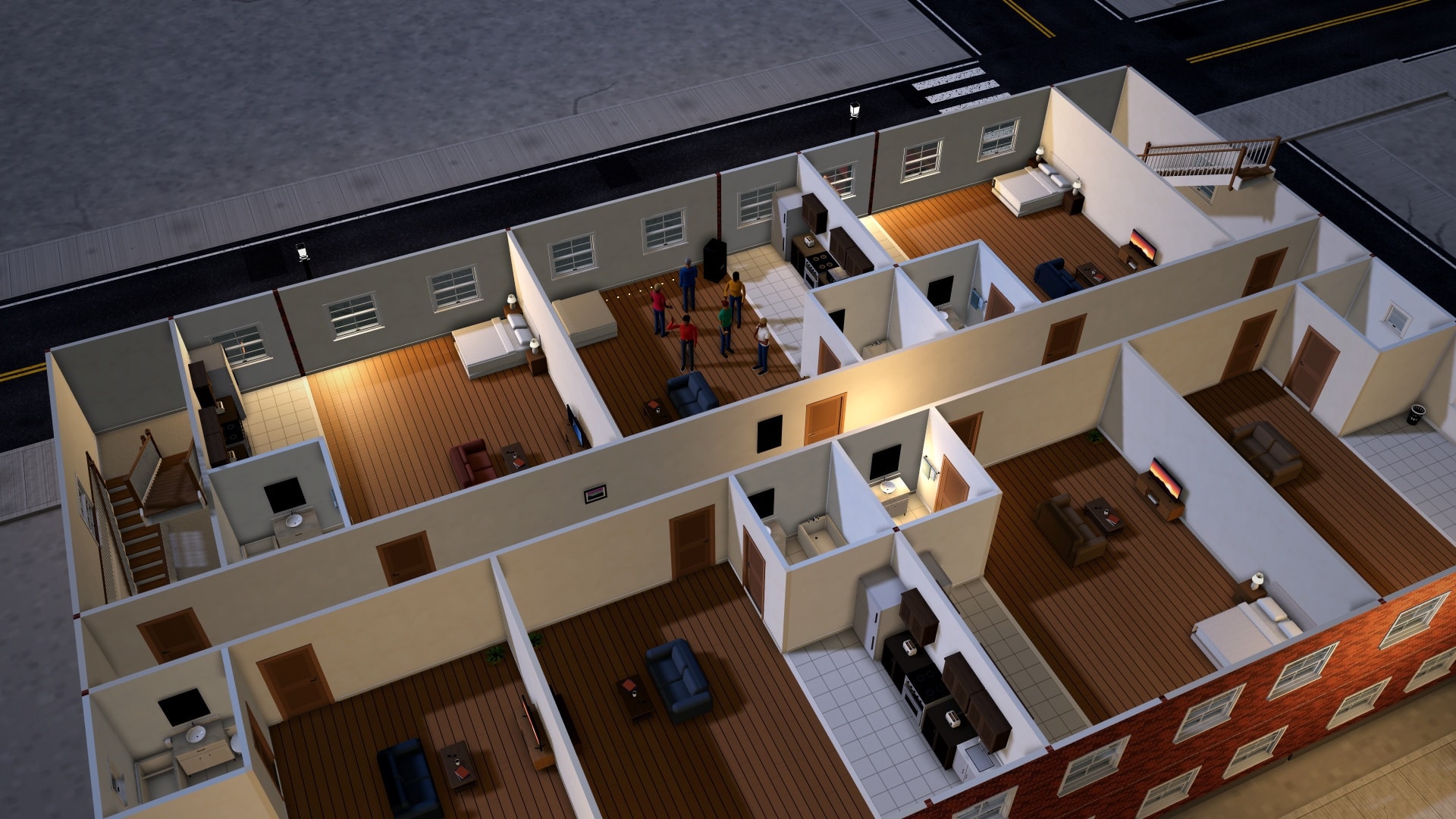
- 3
- storeys, stairs between them
- 19
- flats, each furnished
- 7
- people placed
- 3
- cameras set up
Then ask for more than a set.
Helpers for the jobs around the set. Each costs one message, the same as any reply — a script one per scene, and each fix you ask for one more. A helper that changes the scene gives the message back if it finds nothing to change, and every change they make can be undone. A question from the AI before a big build uses none.
- Improve this scene
- One button looks for bare areas, missing things, problems, better light and better camera angles, and shows a before and after plan first. Nothing changes until you press Apply, and Apply is one undo.
- Quick questions first
- For a big, open request — a school, a chase scene, a bridge — it asks up to 3 quick questions: tap an answer, type your own, or choose Just surprise me. It covers 35 kinds of scene and asks in English, Spanish, French, German, Portuguese or Italian. A simple request just builds. Asking uses no message; the build that follows uses one.
- It learns what you like
- It remembers your answers on your account and asks less over time. Settings shows, changes, forgets or resets what it remembers, and turns asking or remembering off. Nothing is retrained, and across members only anonymous counts of which questions help are kept.
- Script to scenes
- Paste a whole script, or import a Fountain, Final Draft, Word or PDF file and check what was found first, and it builds each scene in order — places, props, people — from your own words, and lines them up in the shot list.
See everything (6 more)Show less
- Location scout
- “Bronx apartment hallway”, “small-town diner”: name a kind of place and it builds a set like it.
- Make it more realistic
- Clutter, wear and the mess of real life — a crowded desk, stained walls, trash in the corner.
- Director's notes
- It reads the scene and says what's empty, wrong or missing, and fixes any note you pick.
- Camera angles and casting
- Shots in story order, each checked for a clear view before you see it and added to your shot list (the free Quick coverage button needs no message); and characters built from a description.
- Dialogue and voice commands
- Ideas for lines, read aloud; and “put a couch in the corner” said out loud, shown back to you before it happens.
- Photo or sketch to a setPro & Studio
- Upload a photo of a real room or a rough layout drawn on paper, and get it in 3D.
What you can put in front of the lens.
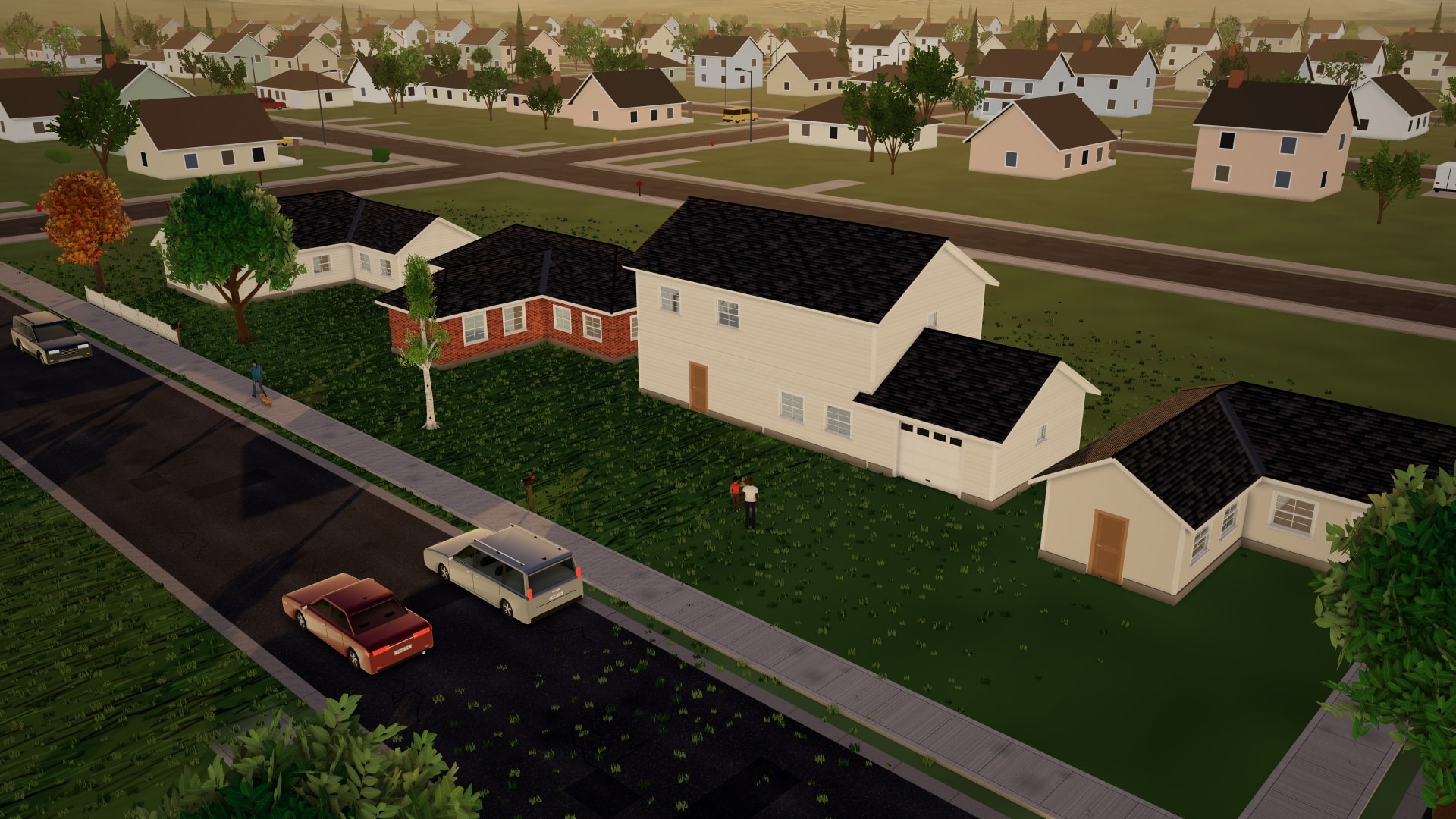
Every frame below is a scene in the editor, rendered by the app itself. Light any of them for any hour from dawn to midnight, in 11 kinds of weather, with one of 20 horizons behind and 17 lighting moods on top.
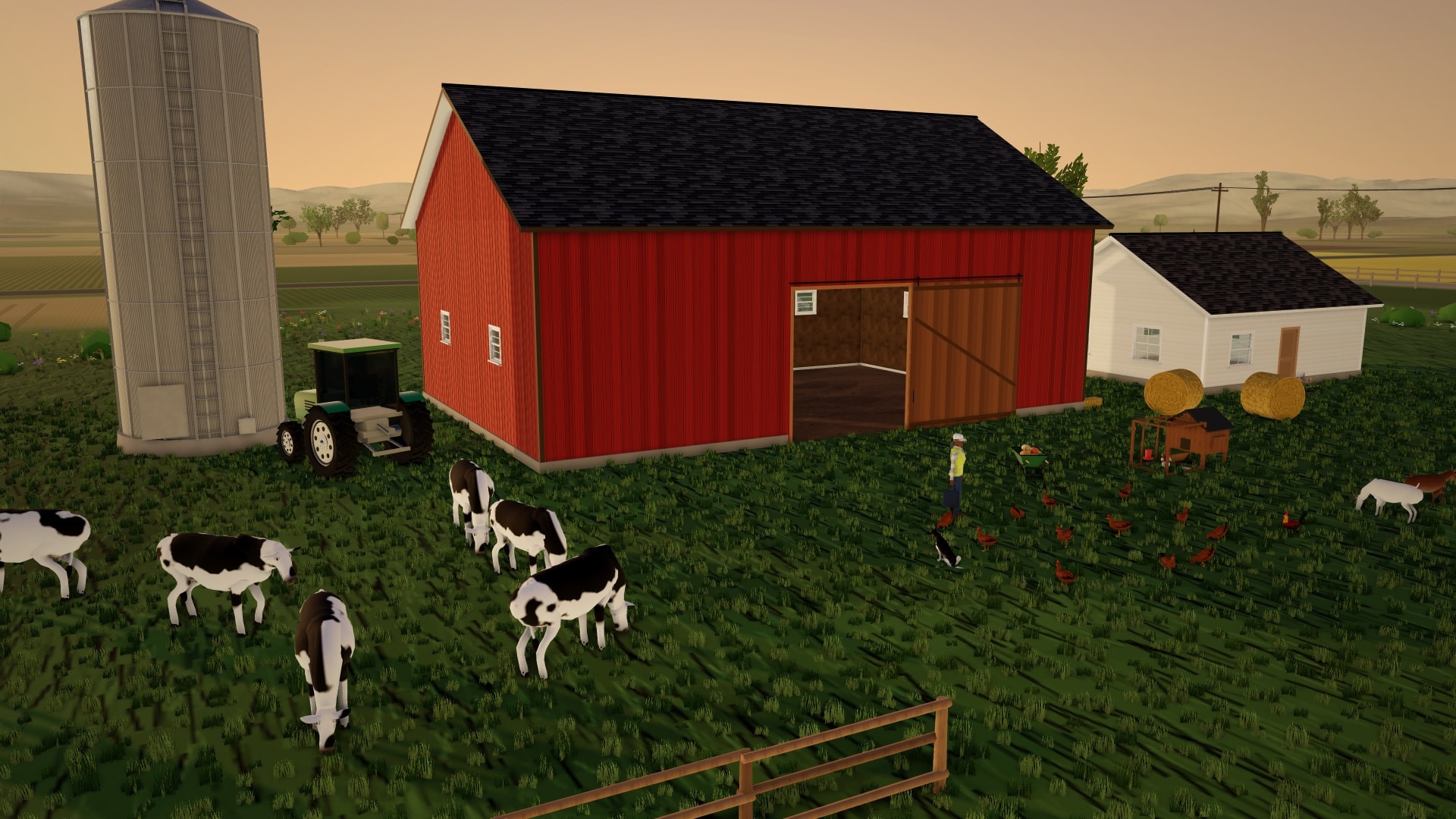
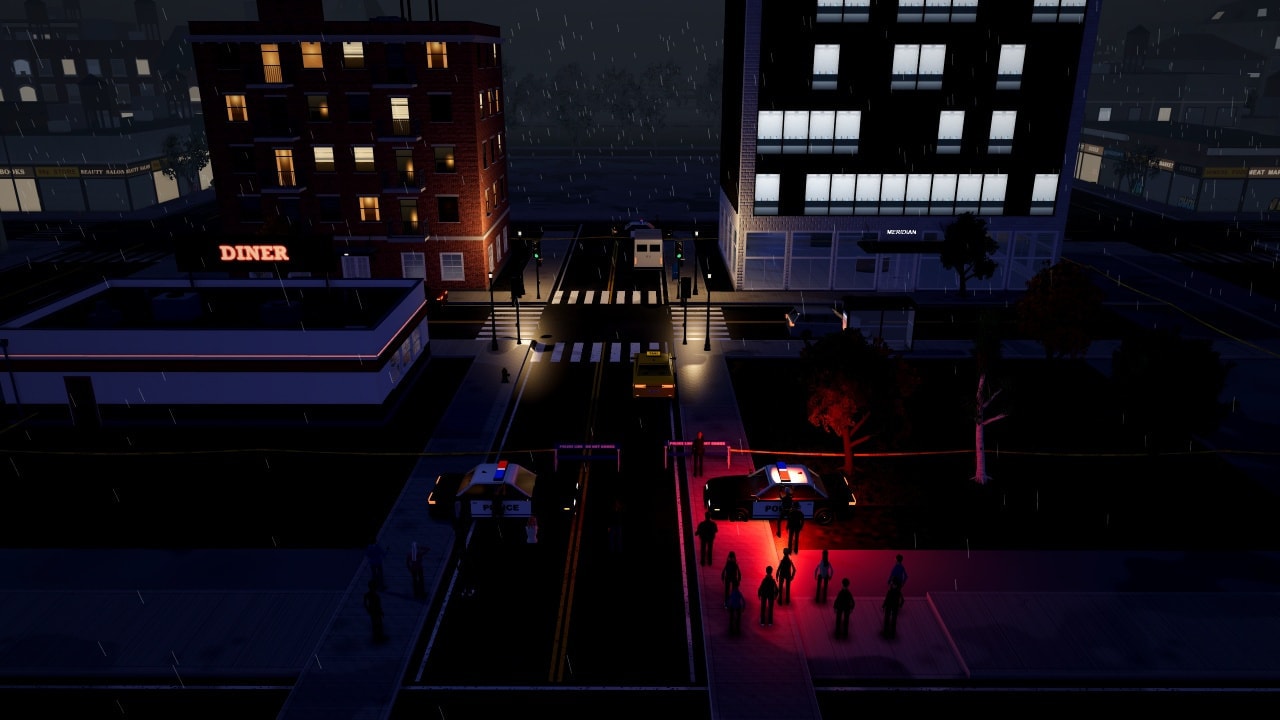
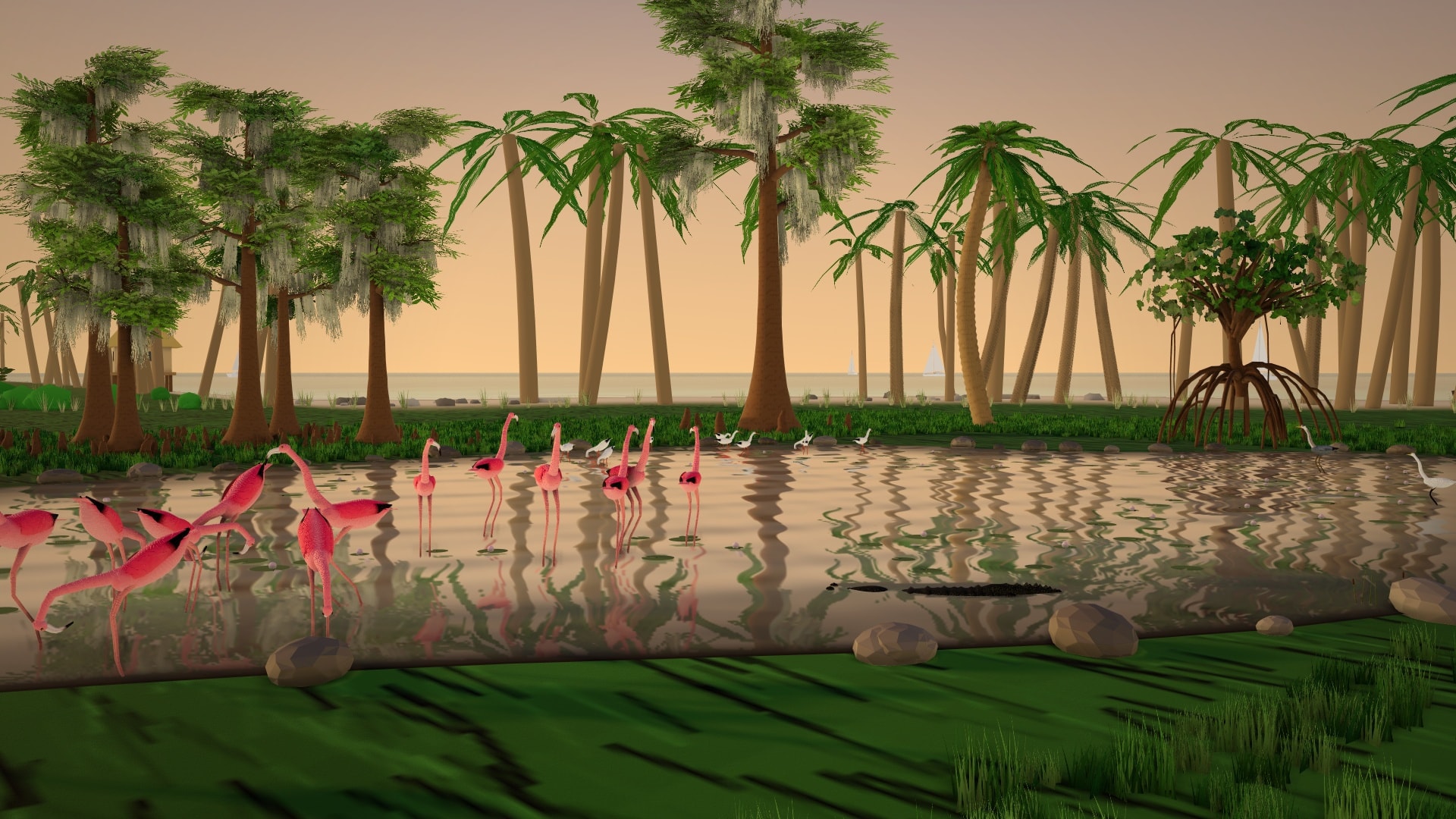
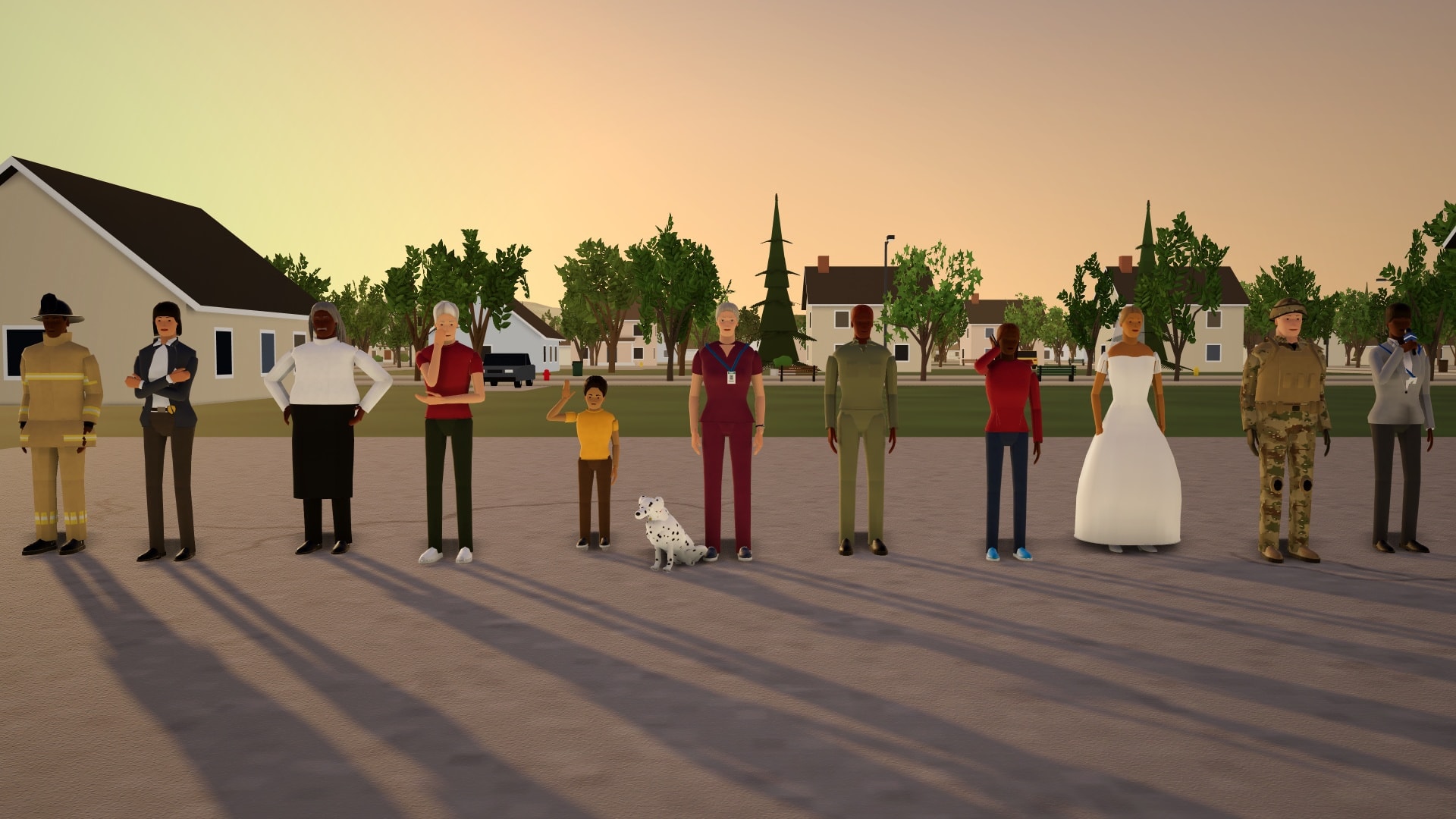
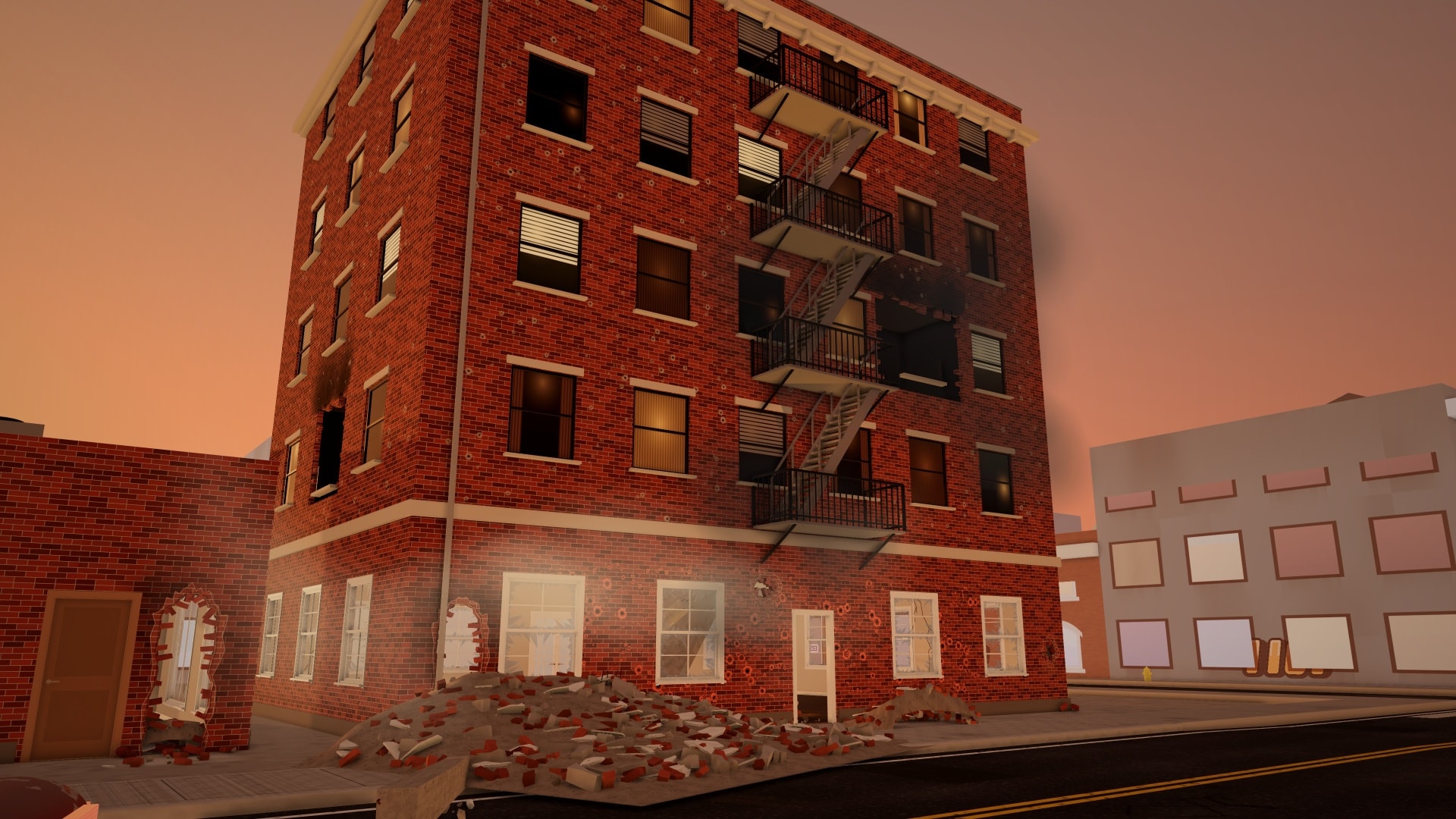
- 860+props, from film lights to fire trucks
- 68animals, plus 24 herds, flocks and schools
- 34outfits, then every detail in the character editor
- 27poses, standing to lying wounded
On Free you start with 310+ of those props, 17 of the animals and 10 everyday outfits; Pro and Studio unlock all of them.
Make it feel like the real place.
The hour you'll shoot, the weather that day, the people and cars going by, the bees and the river, and the noise of it all — set in a few clicks, on every plan.
- Any hour, any weather
- Drag the clock from dawn to midnight and the sun, shadows and street lamps follow. 11 kinds of weather with wind, wet streets and puddles, snow that settles, and 4 seasons.
- New York, and more
- 20 horizons behind the set — now a Bronx street with fire escapes, bodegas and the elevated train, and downtown towers, every building different.
- Crowds and traffic
- Fill a street with people walking their own way and roads with cars that stop at the lights — busy or quiet, without slowing the editor.
- The sound of the place
- 357 sound effects and 20 ambiences made in the app: rain, sirens, a busy street, footsteps that match the floor, doors, animals. They play in exports and watch links too, and you can lay your own sounds on top.
See everything (4 more)Show less
- Rivers you can hear
- Smooth river, stream, lake, wave, waterfall and fountain sounds that loop without a click and fade as you move away. A river you place has its sound, and long rivers are drawn with far fewer pieces.
- Bees and hives
- A swarm of up to 300 striped, winged bees, each flying its own looping path. Set how many, how fast and how wide, and have them fly around a hive, flowers or a tree. The new hive comes as a box, a straw skep or a top-bar, the buzz gets louder up close, and the AI adds them to gardens, farms and forests.
- Fire, smoke and breakage
- Fire that spreads, smoke that drifts with the wind, dust in the sunbeams, ripples in water, glass that shatters and tables that flip.
- Light that looks right
- 17 lighting moods, lamps and TVs that really light the room, flickering tubes, reflections in puddles and glass, and a Graphics setting so a laptop or a phone stays smooth.
People who use things.
They sit in the chair, open the door, climb into the car and answer the phone, and the prop moves with them. Free on every plan, and it plays the same in the editor, on the timeline, in the community player and in exports.
- Describe it, they act it
- Write “a nervous man paces, checks his watch, then answers the phone” and he does, in that order. Each person gets an editable step list: retime, reorder, delete, add, or Undo this performance. Hugs and handshakes are approximate, and typed lines use a computer voice.
- An Animations menu on every person
- 160+ animations in nine groups. Search them, keep favourites, preview one on that very person, and set speed, repeats, left-handed and a delay. Right-click a person, or long-press on a phone.
- Use this
- Right-click a door, a chair, a fridge or a car and choose Use this. One of the four nearest people walks over and uses it, then carries on with a Then action. The AI can ask for the same, and says plainly when it can't.
- Sit down, lie down
- They sit and stand on 35 kinds of seat and lie down on 14 kinds of bed, cot, sofa and bench, at the real height of the surface: in our ray test none of 43 seat and 39 bed size combinations was off.
See everything (5 more)Show less
- Getting into a car
- Reach for the handle, open the door, duck in, pull it shut, buckle up, hands on the wheel. Getting out reverses it, and bikes are mounted and dismounted. Drivers can check the mirror, tune the radio and take a call.
- Doors, windows and curtains
- Push, pull, knock, unlock, peek round, kick open or sneak through. Gates, sliding and garage doors, windows and curtains, calling a lift, ducking under a barrier.
- Everyday objects
- Open a drawer or the fridge, wash hands, cook at the stove, start the microwave, type, write, text, take a selfie, use a cash machine. The things move too: drawers slide, the fridge light comes on, water runs, the burner glows.
- A world that moves
- Windmills, fountains, sprinklers, a seesaw, a roundabout and a grandfather clock. Curtains sway, string lights twinkle, a conveyor belt carries cartons, and animals visit their bowls, hay and kennels on their own.
- Not everything yet
- Not yet: hopping a fence, climbing a ladder, riding an escalator, light switches, two-person emergencies, boats, helicopters and planes you can ride, or opening a car's trunk.
Cars that drive. Doors that turn.
Turnstiles and lifts work, solid things stay solid, and anything in the way gets waited for. Free on every plan, and it plays the same in the editor, on the timeline and in exports.
- Cars on a path you draw
- Any of 42 vehicle types drives a path you click or draw, from 3 to 150 km/h, with stops, a start delay and a loop.
- It drives like a car
- It pulls away, brakes, slows for corners, and stops at red lights and stop signs (you can switch that off).
- It never drives through things
- It goes round, waits for traffic and people, or stops short and says why. Cars queue about a car's length behind each other and never drive through a stopped car, and in first person they brake and stop for you when you walk in.
See everything (15 more)Show less
- Wheels, lights and an engine
- The wheels roll and steer, the brake lights come on, headlights are automatic or keyed by you, and the engine has a sound.
- Steering wheels, tracks and bikes
- The steering wheel turns with the front wheels and the driver's hands turn with it. Tank tracks move, and bikes, motorbikes and scooters steer with the whole front end and fold their side stand when ridden.
- People in the cars
- Put people in a car from a seat map, as the driver or passengers: belted in, hands on the wheel, moving with the car. Passengers can be seen through the tinted windows of buses, trucks, vans, ambulances and fire trucks. The AI puts drivers in driving cars and fills parked cars sensibly.
- Getting in and out
- People can get in and out several times, at stops, blending smoothly and with the door opening on the timeline, and the first-person driver's view is brighter. It works in the editor, the timeline, the community player and exports.
- Turnstiles
- Two-way and one-way turnstiles let people pass one at a time. A one-way turnstile turns people back: they go another way, or stop with a note.
- Lifts that lift
- A lift with a glass or steel car, its own shaft and landing doors. The car travels between floors, its doors open only at a floor, and people wait, ride together and get out on their floor. They take the lift by themselves when their next point is on another floor. The AI puts a working lift into the lift shafts of the offices and hotels it generates.
- Revolving doors
- People wait for the door, step into a compartment, ride half a turn and step out, one at a time or many at once. In first person you can't walk through the spinning wings.
- Waiting for what's in the way
- Cars, a raised drawbridge and other people make a character stop and wait instead of walking through, wandering animals wait for people and cars, and automatic doors open before the character arrives. Scrubbing, Play, watch links and exports show the same timing.
- Crowded starts
- In our crowded-start test (40 people leaving a hall, 200 starts in all), people left stuck at the start went from 42 of 200 to 2.
- Solid props stay solid
- Every solid prop blocks first-person walkers, path characters and animals, by its drawn shape: in our walk-into test of 671 solid prop types, people stop within about 10 cm of what the prop really looks like for 82% of them (it was 49%). Bridges, stairs, ramps and curbs are walked on; rails and piers hold you back, and you can pass under a bridge or in under the high end of an open staircase.
- A path that can't be reached
- The character stops short, and the editor shows what is in the way with a red dashed line. A walk point on a bridge deck, a platform or an upstairs room is walked up to; if no stairs or ramp lead there, the editor says so in red. People don't wade into ponds, lakes or pools (puddles are fine).
- Feet on the ground
- Each foot finds the real surface on stairs, ramps, slopes, curbs, bridge decks, rugs, rubble and snow: in our walk tests the worst sink is about 1 cm (stairs were up to 16 cm in a frame, rubble 8 cm). Walk past the edge of your set and you stop there with a note: the background beyond it is scenery.
- Animals' paws
- Animals (tested with dogs, cats and sheep) put each paw on the step or slope, and dogs and sheep sink slightly into snow like people.
- Rubble, bridges and debris
- Rubble heaps and all 12 kinds of bridge (rope, railroad, draw, covered and more) pass our walk-into test; it was 7 failures. Fallen characters, beams and loose debris rest on the treads of a staircase instead of inside them.
- First person on stairs
- You no longer sink into stairs, ramps or curbs (stairs were 20 cm, a footbridge 30 cm), and on steep flights the foot float matches ordinary walking, about 2 cm or less.
Or build it by hand.
Every piece the AI builds with is in the Add menu too — search it, star favourites, drag a piece straight into the view — and works the same whichever of you placed it. Stack storeys, join wings, reshape the ground — then walk through what you made.
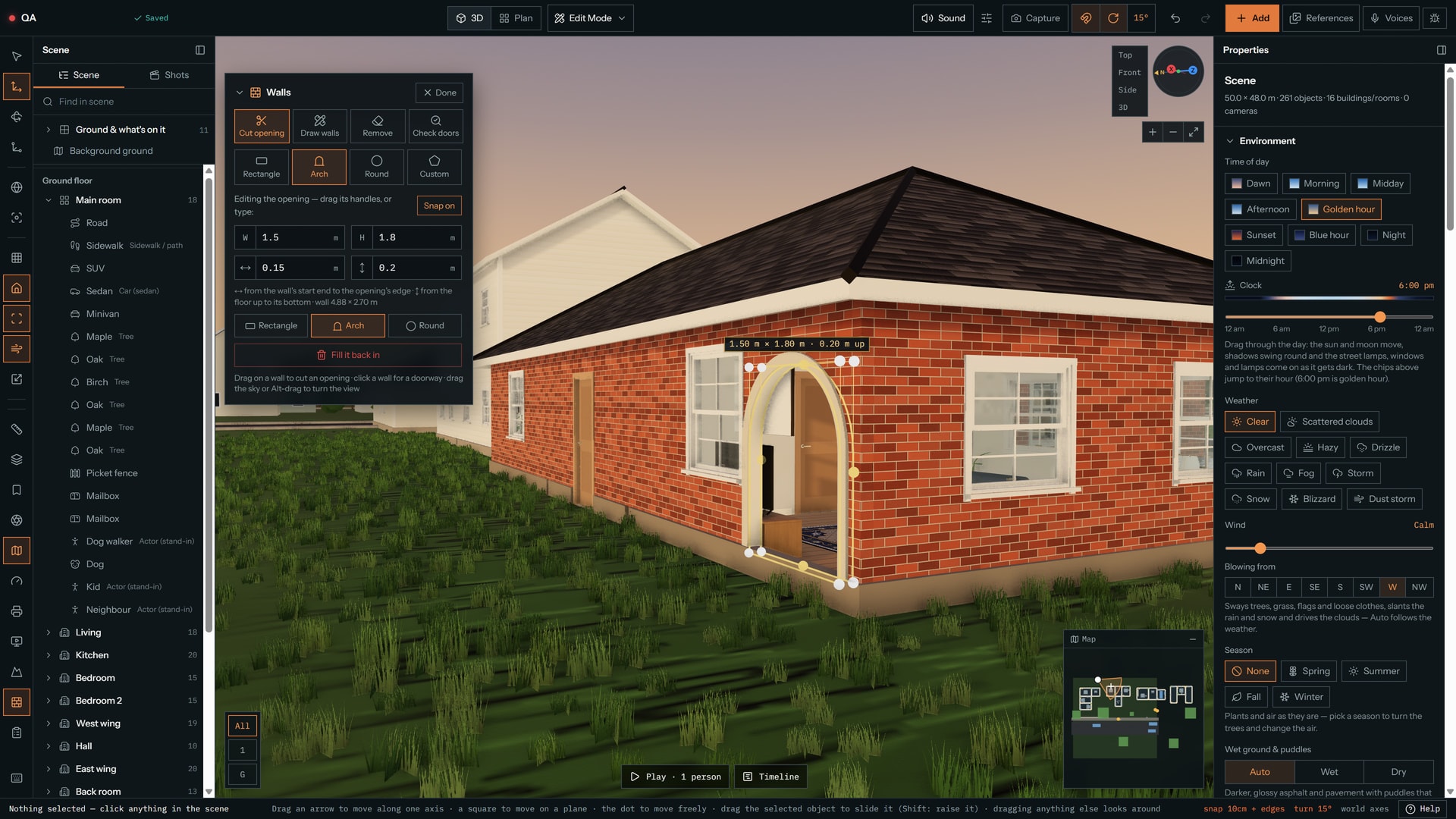
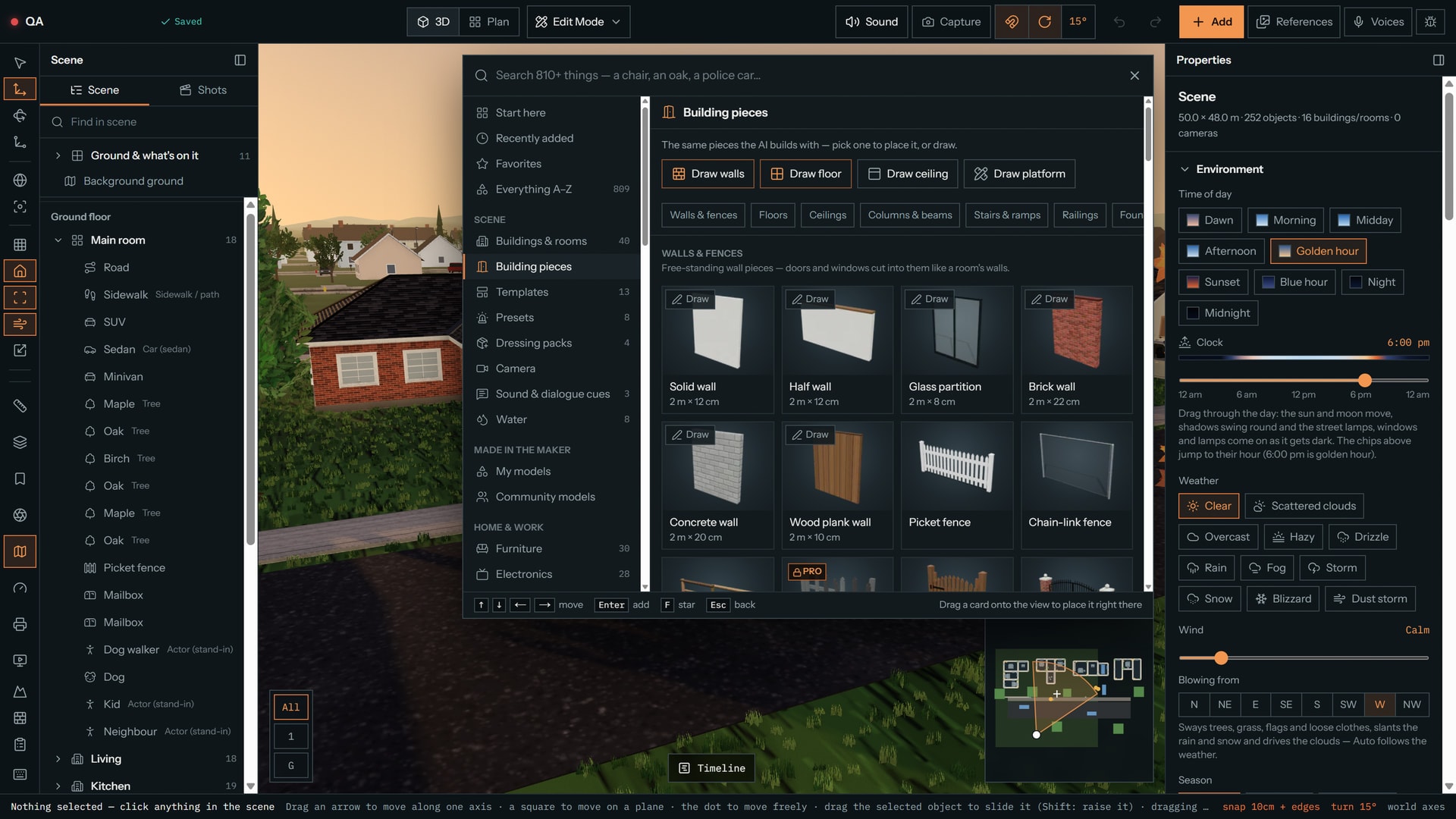
- Walls, point by point
- Draw walls by clicking — solid, half, glass, brick, concrete or wood — at the height and thickness you pick. Corners and T-junctions join cleanly.
- Openings of any size
- Drag a rectangle, an arch or a round hole into any wall, the AI's too, or type the size. Openings get a casing around them, and Check doors finds the ones that open onto a wall.
- Floors, stairs and roofs
- Draw a floor or a ceiling to any shape; add stairs, ramps, columns and beams that snap together. L, T and U-shaped wings share one roof, ridges, hips and valleys and all.
- Then break it
- 22 ready-made damaged buildings and a damage brush: 7 kinds, from shelling to flood, at 3 strengths. The holes are real — walk through them — and Repair puts it back. Props break too: glass shatters, tables flip.
See everything (4 more)Show less
- Doors that open themselves
- When a character or animal walks through, the door opens away from them, stays open while they pass and shuts behind them, with door sounds. Every door, gate and garage door in the library does it, and each has a setting: Auto-open, Always open, Always closed or Locked.
- A Gaming category
- 57 props in their own tab: gaming PCs, ultrawide and dual monitors, consoles and handhelds, arcade cabinets, pinball, streaming gear, an esports stage, gaming desks and chairs, neon shapes. Original designs, no brand names. 14 are on Free; the rest are Pro.
- Screens that show things
- Every screen can show a game, a stream, chat, a desktop, code, a terminal or an esports broadcast, or be switched off. RGB lights can be on, off, rainbow or any colour, and a lit screen lights the room around it.
- A gamer's room in one click
- Four packs build a gamer's bedroom, a streaming room, an arcade or an esports arena in one go. On Free, pieces from the Pro library come in as stand-ins, and the AI uses these props when a scene calls for them.
Cast it. Then hear it.
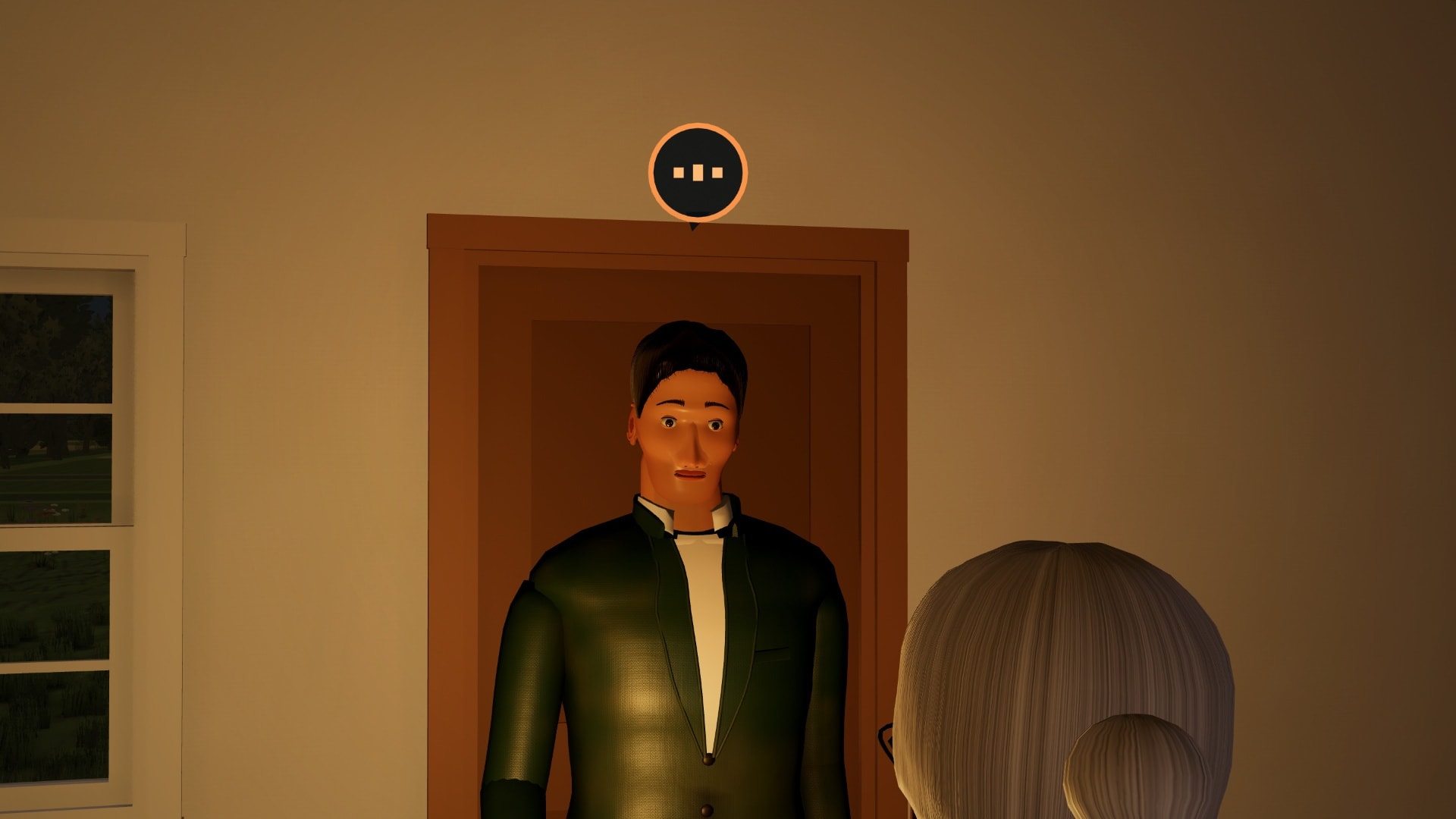
Dress every character, write the pages, and play the scene: lines in order with subtitles, in step with the camera and everyone's walks. Export it as a video with sound, or send a link anyone can watch.
- A character editor
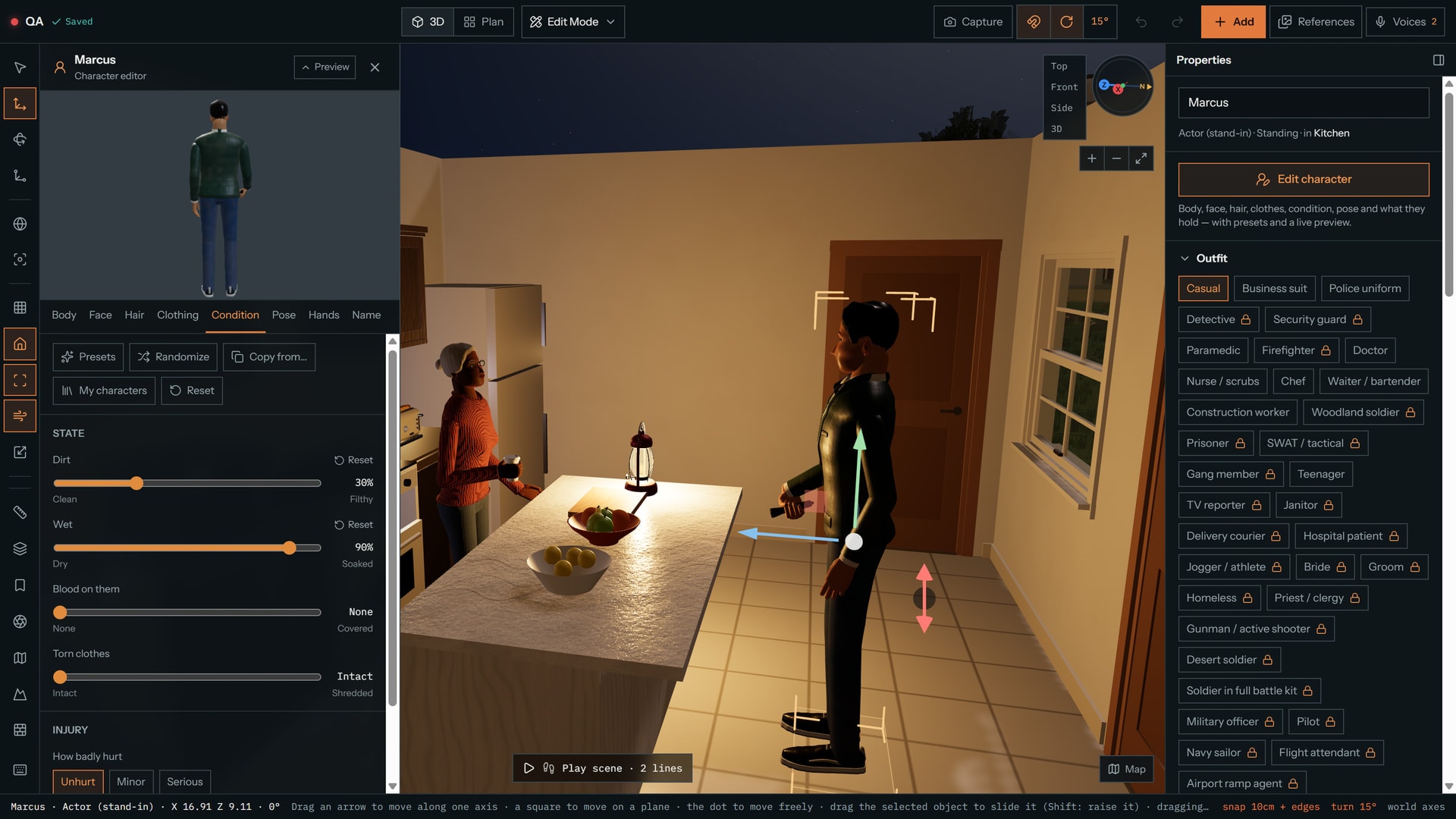
- Body, face, hair, age from kid to elder, 34 outfits, and dirt, sweat, tears or scuffs — with presets, randomize and a live preview. Save the ones you like and use them in any project.
- Characters that act
- 17 expressions, 16 gestures and 16 one-click poses; 31 stunt and fight moves, and crowds that cheer or panic at once.
- Computer voices
- 24 voices by age, gender and accent, and 8 feelings: angry, scared, calm, excited, whispering. Nudge the pitch and speed, and press play on any voice to hear it first.
- Play the scene aloud
- Play scene speaks typed, script and AI-written lines in each character's own voice, in order, with Pause, Restart and a progress bar. Computer voices play in the editor, not in exported videos.
See everything (8 more)Show less
- Voice acting
- Record a take per line, or upload a recording. Mouths move on the words and rest closed in pauses, breaths and room noise, and a typed line read by a computer voice moves the lips word by word. Collaborators can voice their own characters; Free keeps 12 recorded lines per project.
- A recorder that listens
- Record with the microphone you pick, watch the level meter, press Auto level, and get a warning when it's too quiet or clipping. Enhance voice cleans up a take and keeps your original.
- Takes you can't lose
- A take records straight from the microphone and is saved on your device twice a second, so a closed tab can be recovered for up to 7 days. If the mic drops you can record the rest, keep what you have or start over, and hear a take back and trim it before keeping it. Lines run up to 20 s on Free, 45 on Pro, 60 on Studio.
- Characters look where you point
- Point anyone at a person, animal, object, camera or spot: the eyes lead, the head follows, and a big turn brings the shoulders. Add “Looks at” keys on the timeline or drag the aim ring in 3D. Dogs, cats and horses can look too.
- Subtitles you can edit
- Made from the script, following your takes. Edit the text, timing, speaker and style, find and replace, import and export SRT or VTT, and burn them into your video. Free adds 1 extra language to a scene, Pro and Studio up to 8.
- What the AI remembers
- It learns your spellings, how you write sound notes like [door slams] and your character voices, so a fix sounds like you. It's private, you can see, delete or switch it off in Settings, and nothing else is remembered except your answers to its quick questions before a big build.
- Mix it, choose your devices
- Master, voices, ambience and effects each get a volume and a mute, remembered for your account. Pick your speakers and microphone with a Test for each; if one is unplugged it falls back and tells you. Choosing speakers isn't available in Safari or on phones.
- A script editor
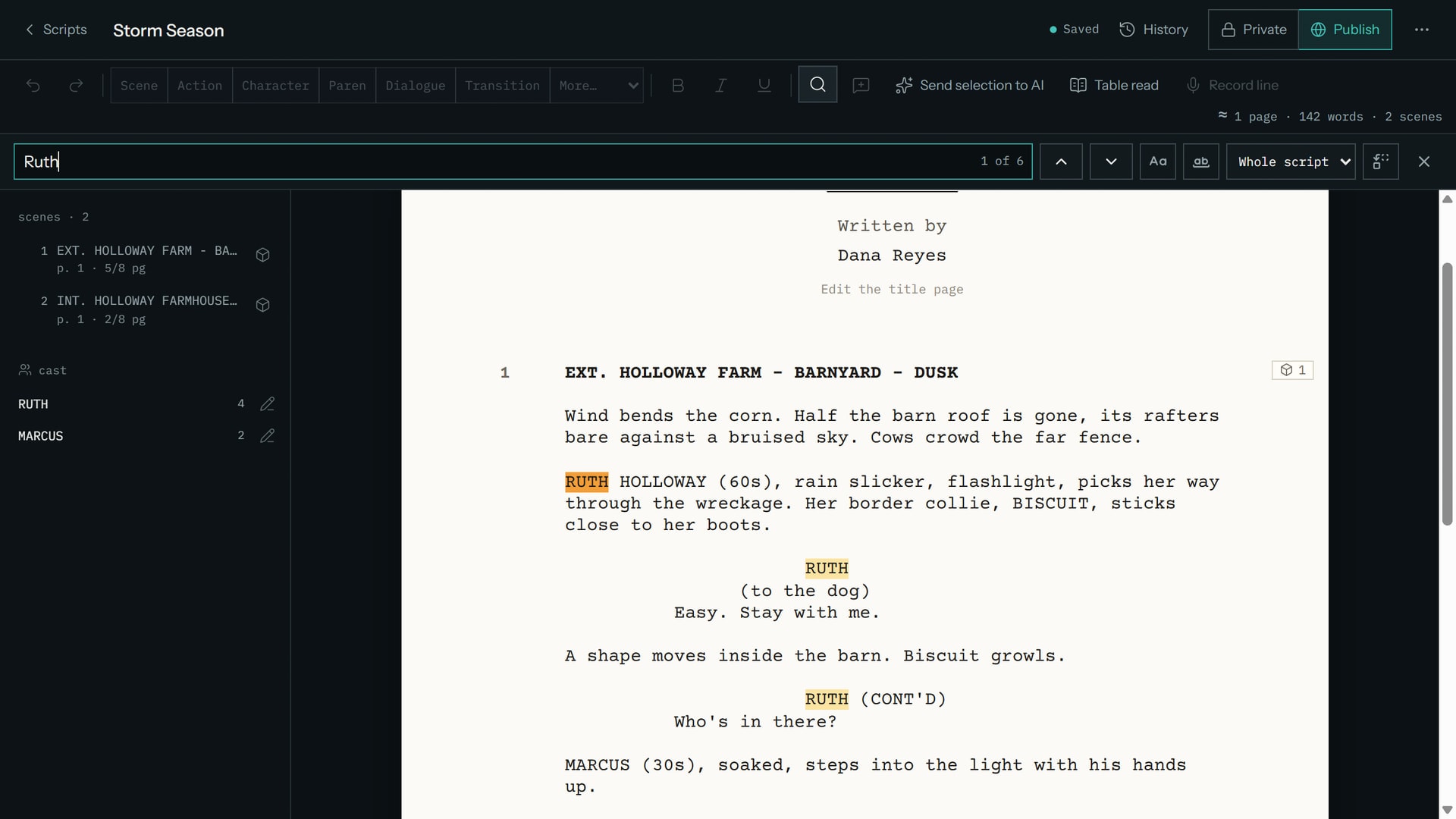
- Screenplay format with find and replace, renaming a character everywhere, notes and version history. A table read voices every part; import a Fountain, Final Draft, Word or PDF file with a preview, and export PDF, Final Draft or Fountain.
Every lens, before you rent it.
Cameras use real focal lengths and a true field of view, so the 35 you plan is the 35 you get on the day. Same spot, same booth: change the lens.
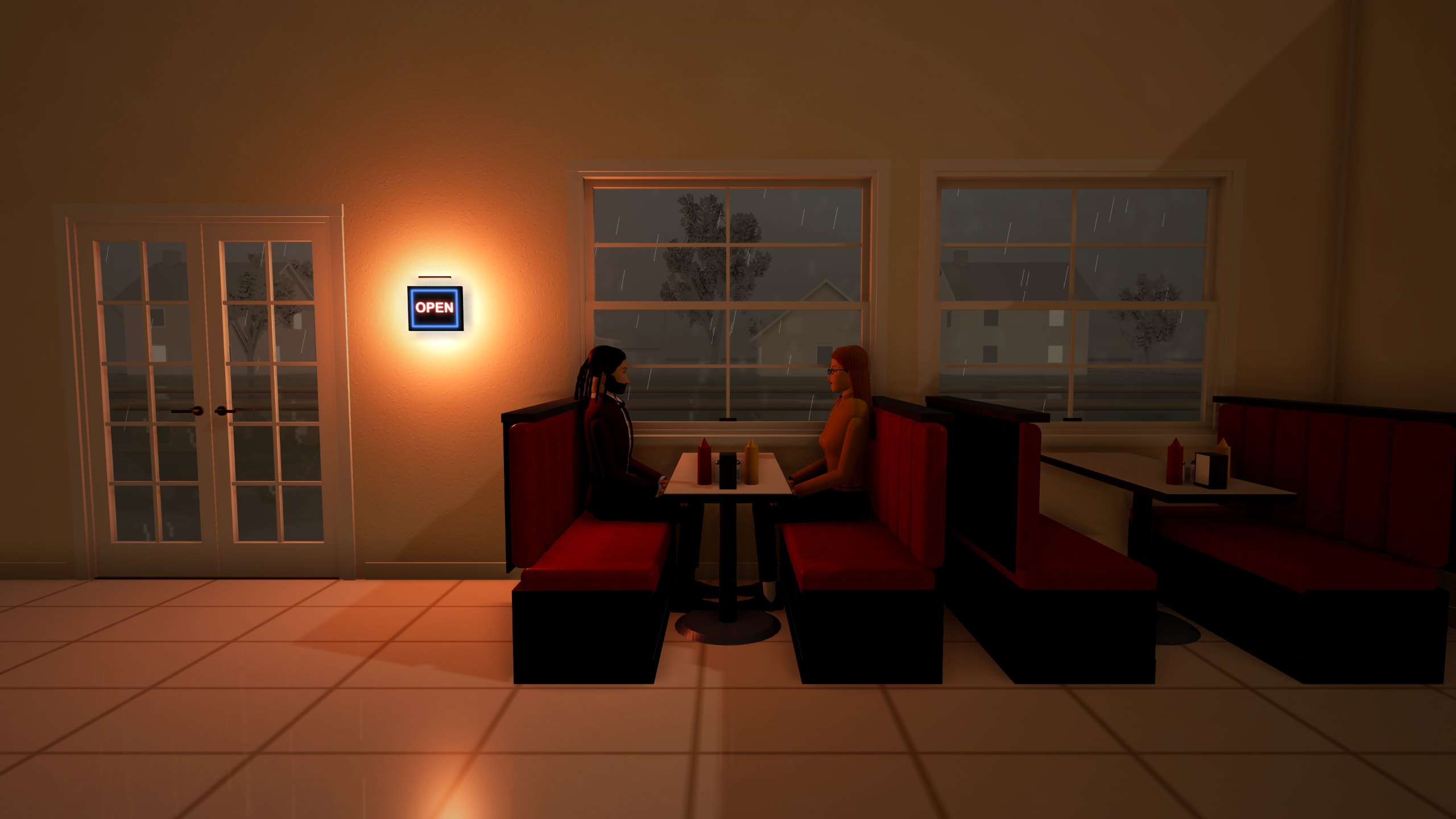
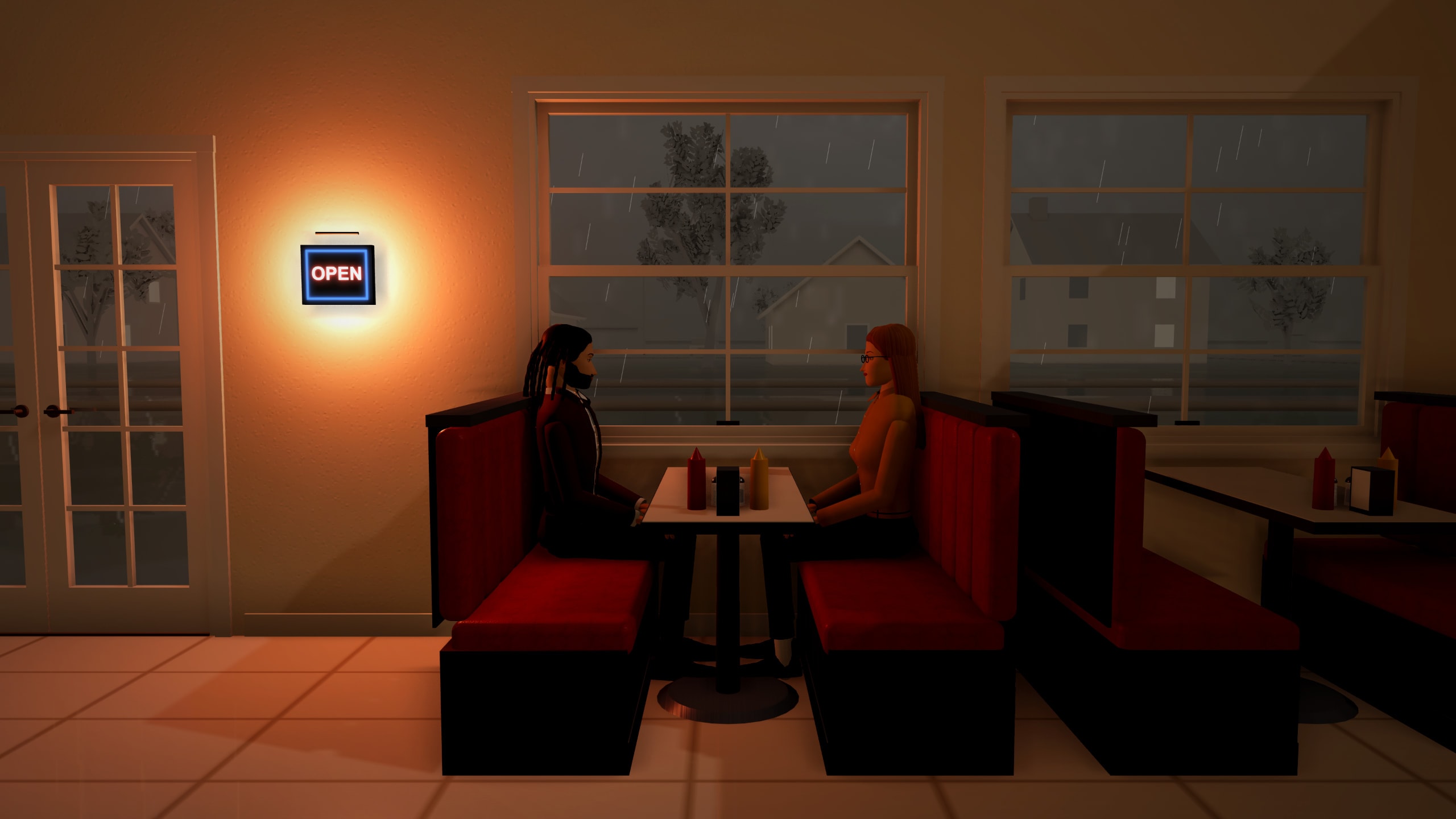
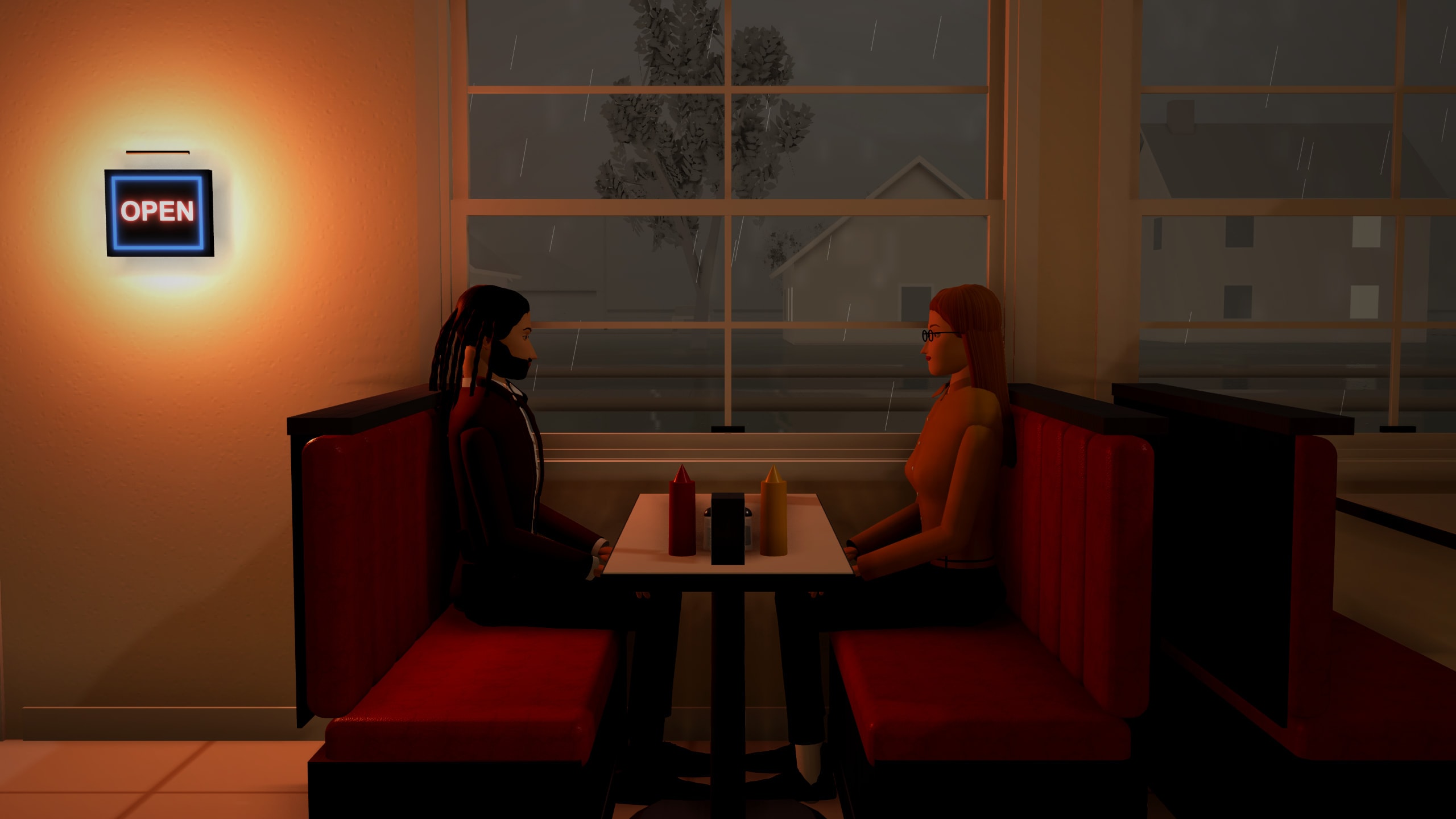
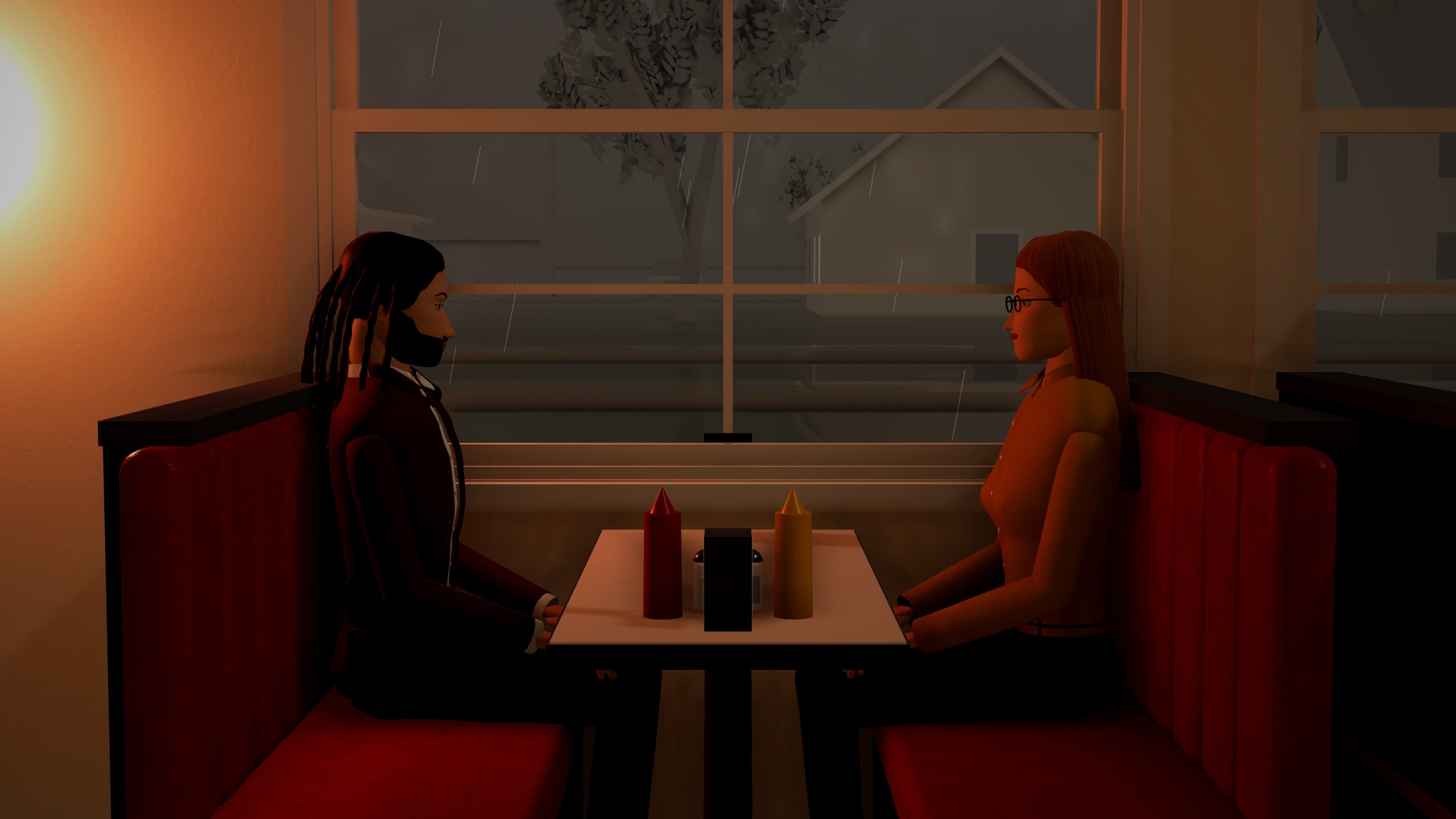
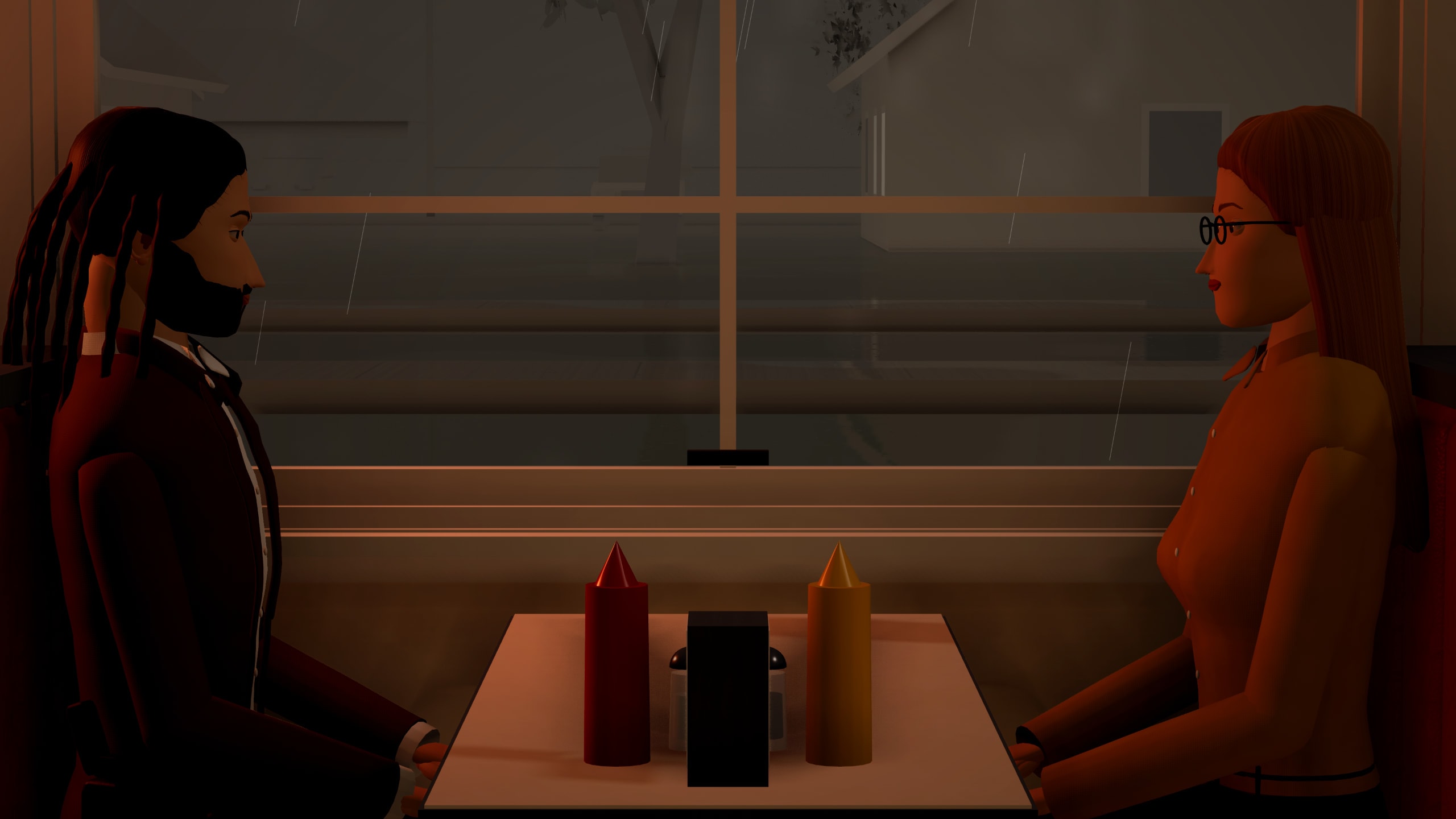
Then play the move.
Push in, whip pan, go handheld, arc around the table — 11 kinds of move with their speed, distance and easing, played back through the lens. Frame it in any of 7 formats from 2.39:1 to a vertical 9:16, pull focus from one face to the other and try 6 colour grades, so you know it works before anyone lays track.
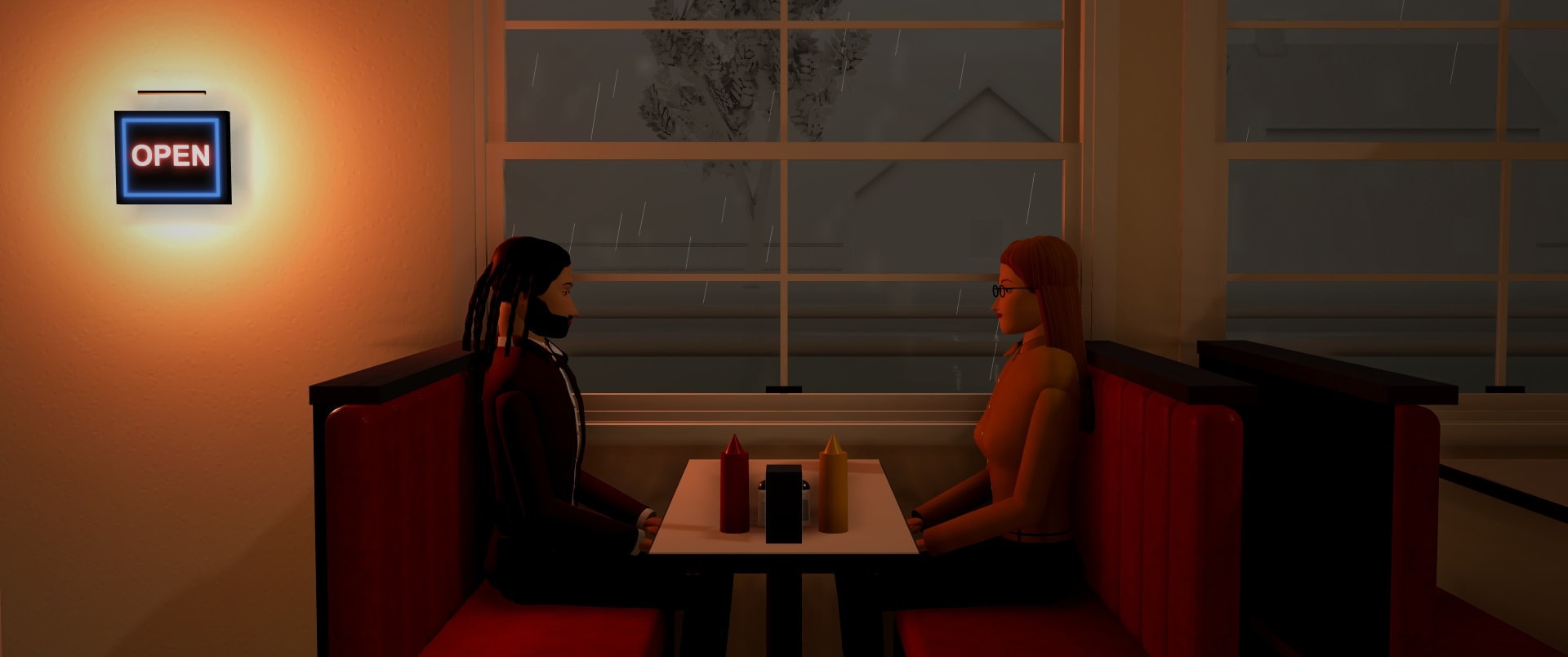
Set it up, live.
Camera tools that show you the frame while you work. A short tutorial, Cameras made easy, walks through them on a computer or a phone, and you can skip it at any point.
- See what it sees, live
- Select a camera and a preview shows its view, updating as you move it or change the lens, sensor or aperture, with real depth of field, a focus point you click and a field-of-view readout. Frame guides cover every shape from 2.39:1 to 9:16. Dock it, drag it, resize it or pop it out.
- Compare lenses side by side
- See the same shot through several lenses at once, each labelled, and save any of them as a new shot. Each shot remembers its lens, height and aperture, and they show on the shot list and in the storyboard PDF.
- Every camera at a glance
- A strip of all your cameras sits under the preview: click one to switch. In the 3D view each camera shows its view cone, with handles to turn it, tilt it and change the lens.
- A bar of camera tools
- Look through, Add camera, Move, Aim, Lens, Zoom and Record move, in one place. Press Record move, fly the 3D view, and your flight becomes the camera's move.
- Six one-click angles
- Close-up, wide, over the shoulder, bird's-eye, low angle and following re-frame the camera around what it is looking at.
See the shot before you shoot it.
Lenses with a live view, lighting looks, your script, your location photos, a timed animatic and a report for the crew. It all runs in your browser, with nothing to download, and each plan's share is listed below.
- Live lens preview
- See exactly what a lens, sensor and aperture show while you move the camera, with frame guides and real depth of field.Every plan
- Compare lenses side by side
- The same shot through several lenses, labelled, with a button to save any as a shot.Free: 2 lenses · Pro: 4 lenses · Studio: 4 lenses
- Mood and lighting looks
- One-click looks like golden hour, noir, candlelit or neon night, each fine-tunable.Free: 15 looks · Pro: All 20 looks · Studio: All 20 looks
- Light fine-tuning and time of day
- Strength, warmth, direction, softness and haze sliders plus a time-of-day slider.Every plan
- Light this scene (AI)
- Type or pick a mood and the AI sets up real lights and colour, with a preview, Apply and Undo.Free: not included · Pro: Included · Studio: Included
- Lighting diagram
- A top-down plan of lights, sun and cameras the crew can read.Every plan
See everything (6 more)Show less
- Script import
- Bring in a Fountain, Final Draft, text, Word or PDF script, check what was found, then create scenes and a starting shot list.Free: 1 scene per import · Pro: 60 scenes per import · Studio: 200 scenes per import
- Location photo backgrounds
- Use photos of a real place as a backdrop or pinned reference, kept private.Free: 2 photos per scene · Pro: 12 photos per scene · Studio: 40 photos per scene
- Match this photo (AI)
- Suggest a set layout from a location photo in your Uploads.Free: not included · Pro: Included · Studio: Included
- Animatics
- Time your shots, add sound and voices, and play or export a rough animatic.Free: Up to 1 min, 720p · Pro: Up to 5 min, 1080p · Studio: Up to 10 min, 1080p
- Crew report (PDF)
- A print-ready report with shots, lenses, frames, lighting, props and running time.Free: With a small footer line · Pro: No footer line · Studio: No footer line
- Private report links
- Share the report by a private link with optional password and expiry.Free: 2 live links, up to 7 days, 3 MB each · Pro: 25 live links, up to 90 days, 12 MB each · Studio: 100 live links, up to 365 days, 25 MB each
Then cut it together.
Edit the shots you planned, put titles over them and your own sounds under them, on every plan. Then export it, or send a link. Have your own footage too? The video editor below takes it.
- Split, trim, speed
- Split a shot at the playhead, trim either end, and give each shot its own speed, from ¼x slow motion to 4x.
- Reorder the shots
- Drag a shot to a new place (in the shot list or the Storyboard), use ▲ ▼ or the keyboard, or ask the AI to “put the close-up before the wide shot”. The numbers, storyboard, timeline, exports and community player follow, and a shot's own titles and transitions move with it. Rename, duplicate and delete are in the ⋯ menu. It's undoable, auto-saved, and kept when two people edit.
- Cut, fade or dissolve
- Between camera angles choose a cut, a fade through black or a dissolve (it fades a held still of the shot you leave), and fade in and out at the ends of the scene.
- Titles
- A title card, centred text, a lower third or a top caption, in 5 colours and 3 fonts, with fades, up to 40 a scene.
See everything (5 more)Show less
- A look for each shot
- Give a shot any of the 6 colour grades, or none, with a strength slider, so one angle can be warm and the next cold.
- Your own sounds
- Upload MP3, M4A, WAV, OGG, WebM or FLAC files. Free keeps 10 sounds (20 MB), Pro 200, Studio 1,000, each up to 1 minute, 5 minutes or 10 minutes long.
- Four audio tracks
- Voices, music, effects and ambience each get mute, solo and volume. Move, trim, loop, split and fade every clip. 48 simple music loops and stings, made on your device, are there to start from: guide or background tracks, not a finished score.
- It plays everywhere
- Edits show in the editor, in real-time and Studio exports and in the community player. A shared page plays your uploaded sounds only if you switch on “Play my uploaded sounds”, which is off by default.
- Export limits
- Free exports 720p up to 1 minute and Pro 1080p up to 5 minutes. Studio goes up to 10 minutes and can draw the video frame by frame.
Cut a whole film.
A full video editor in your browser, on every plan: your own footage and your scene renders on one timeline, with filters, a sound library and subtitles.
- Your own clips, big ones too
- Drop in video, audio and pictures from a computer or a phone, or pull in your scene renders, shot list and recorded voices. A light editing copy is made in the background so a large file stays smooth. For now clips are kept on your device, so keep your originals.
- A timeline that keeps up
- Several video and audio tracks, split, trim, ripple delete, speed changes, keyframes, transitions, titles and picture-in-picture, with undo, autosave and version history. Right-click menus and shortcuts on a computer; long-press and pinch on a phone.
- Looks and colour
- 123 one-click looks (33 on Free), each with a strength slider, plus exposure, contrast, vignette, grain and more. Pro and Studio add colour wheels, curves, LUT import, a green-screen key, Enhance and Stabilize.
See everything (4 more)Show less
- Sounds made for it
- 431 sounds, music loops and ambience beds made inside MoVie AI, free to use in your films. One click reduces noise, evens out volume or lowers music under a voice, and you can record a voice-over with a countdown.
- Subtitles you can edit
- The same subtitle editor as the 3D scene: every cue's text, timing, speaker and style, find and replace, SRT and VTT in and out, burned in or kept as a file.
- AI help, only if you want it
- An optional panel with a preview, Apply and Undo for every change. Helpers that run on your device use no message, and a message is given back if nothing changes or it fails. Only a summary of your project is sent, never your footage.
- Export for any platform
- MP4 presets for YouTube, Reels, TikTok and Shorts, plus audio only, GIF and subtitle files, rendered on your device. Free goes up to 720p30 with a small corner mark; Pro reaches 4K30 (1080p60) and Studio 4K60, with no mark.
Then plan the day.
The shot list, the paperwork and the sign-off, next to the set they're for — so the crew turns up knowing the plan.
- Shot list and storyboard
- Every camera is a numbered shot with its lens, length and notes. Reorder them, tick them off on the day, and print a storyboard PDF for the crew.
- A timeline
- Key the actors, animals, cameras, doors, lights and sounds, then play the scene back like a short clip — slow motion and fast forward included.
- Call sheets and a schedule
- Drag scenes onto shoot days and print a call sheet for each, with cast, crew, locations, call times, sunrise and sunset. Free plans 2 days, Pro and Studio 60.
See everything (6 more)Show less
- The real sun
- Pick a date, a time and a place, and the scene's sun and sky match where the real sun will be.
- Cast, crew and permits
- A cast and crew list with contacts, a permit, insurance and release-form checklist, and a mood board for the look. Free keeps 12 people, Pro and Studio 200.
- Blocking and crew notes
- Numbered marks and arrows for where each actor stands and moves, printable as a stage plan, and notes pinned on objects for camera, lighting or props.
- Comments and approvalPro & Studio
- The team pins comments to a spot in the 3D scene and replies in threads; the director marks the scene approved.
- Your brand on everythingStudio
- Your logo, name and colours on storyboards, call sheets, stage plans and video exports.
- Priority renderingStudio
- Video exports drawn frame by frame instead of in real time: faster, no dropped frames, exact sound, up to 60 fps.
Run the shoot from your phone.
Every project has a Production Hub: the crew, the script, the schedule and the call sheets in one place, with a basic hub on Free and more room on Pro and Studio.
- One hub for every project
- The script breakdown, cast and crew, the shoot-day schedule, call sheets, locations and permits, props and wardrobe, tasks, files and a budget, together. Made for a phone on set. The hub itself uses no AI and no messages.
- A storyboard board for the whole film
- Every scene as a numbered frame: drag to reorder, add one with the + frame (blank, built from a sentence with AI, from a script scene, or a copy), edit its details and shots in a side panel, then print the board or play it through. Removed scenes stay in Recently removed for 90 days and the 3D scene is never deleted. Free keeps 12 planned scenes, Pro 400 and Studio 1500. The AI buttons use a message, with a preview and Undo.
- Call sheets with everyone's own time
- Drag scenes onto shoot days, then download a call sheet PDF, or email each person their own call time and a private link. No account needed to read it.
See everything (4 more)Show less
- Contact details stay private
- Phone, email and personal notes each have a “who sees this” setting, and exports carry only what the person exporting can see.
- A crew link, not a login
- A read-only link shows only the sections you pick, and stops working when you revoke it. Free: no collaborators, 1 crew link; Pro: up to 10 collaborators, 5 crew links; Studio: up to 10 collaborators, 20 crew links.
- Breakdown from your script
- Each scene's cast, locations, props and wardrobe are read from the script without AI, and your fixes survive a re-read. Props also fill from what is really in your 3D scenes.
- Tick shots off on the day
- Crew tick shots done and add continuity notes; the ticks show in the editor too. The schedule and the last call sheet you opened can be read offline.
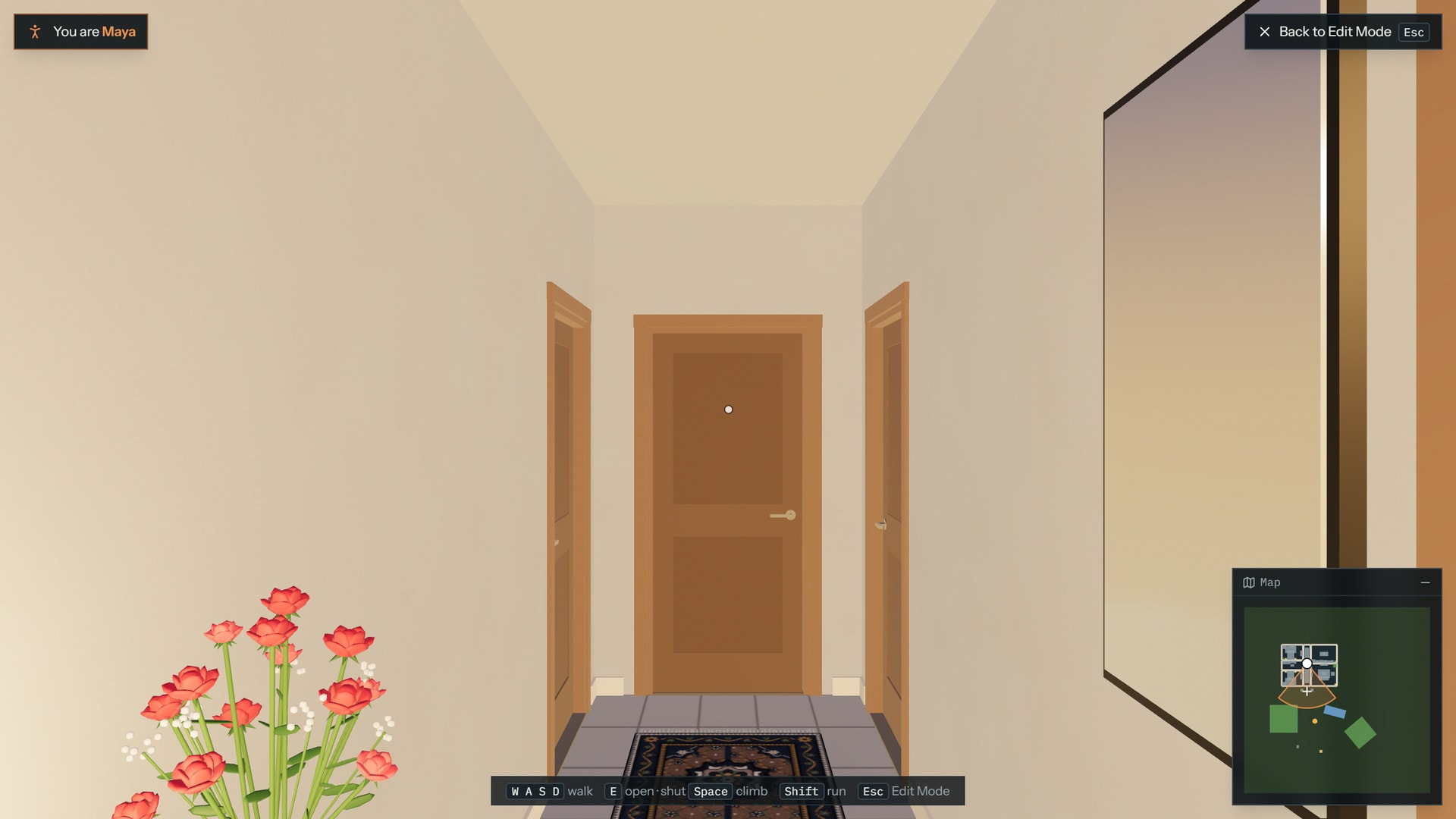
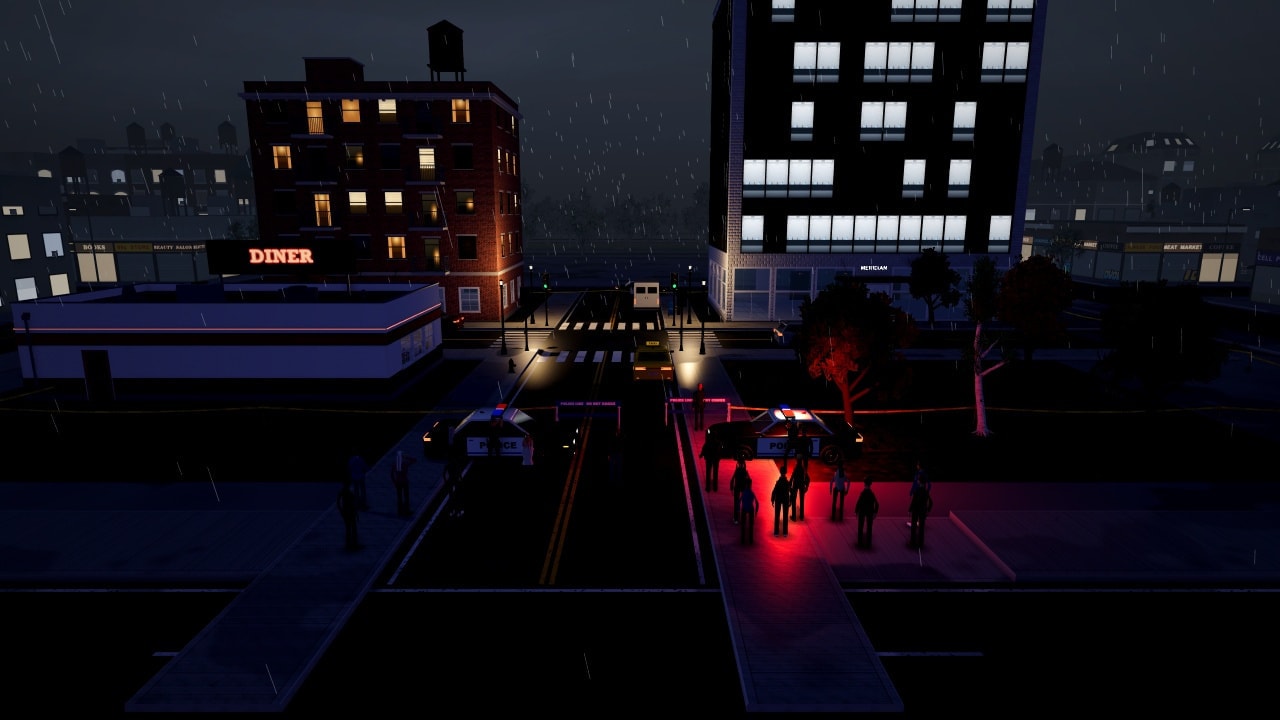
Then walk around in it.
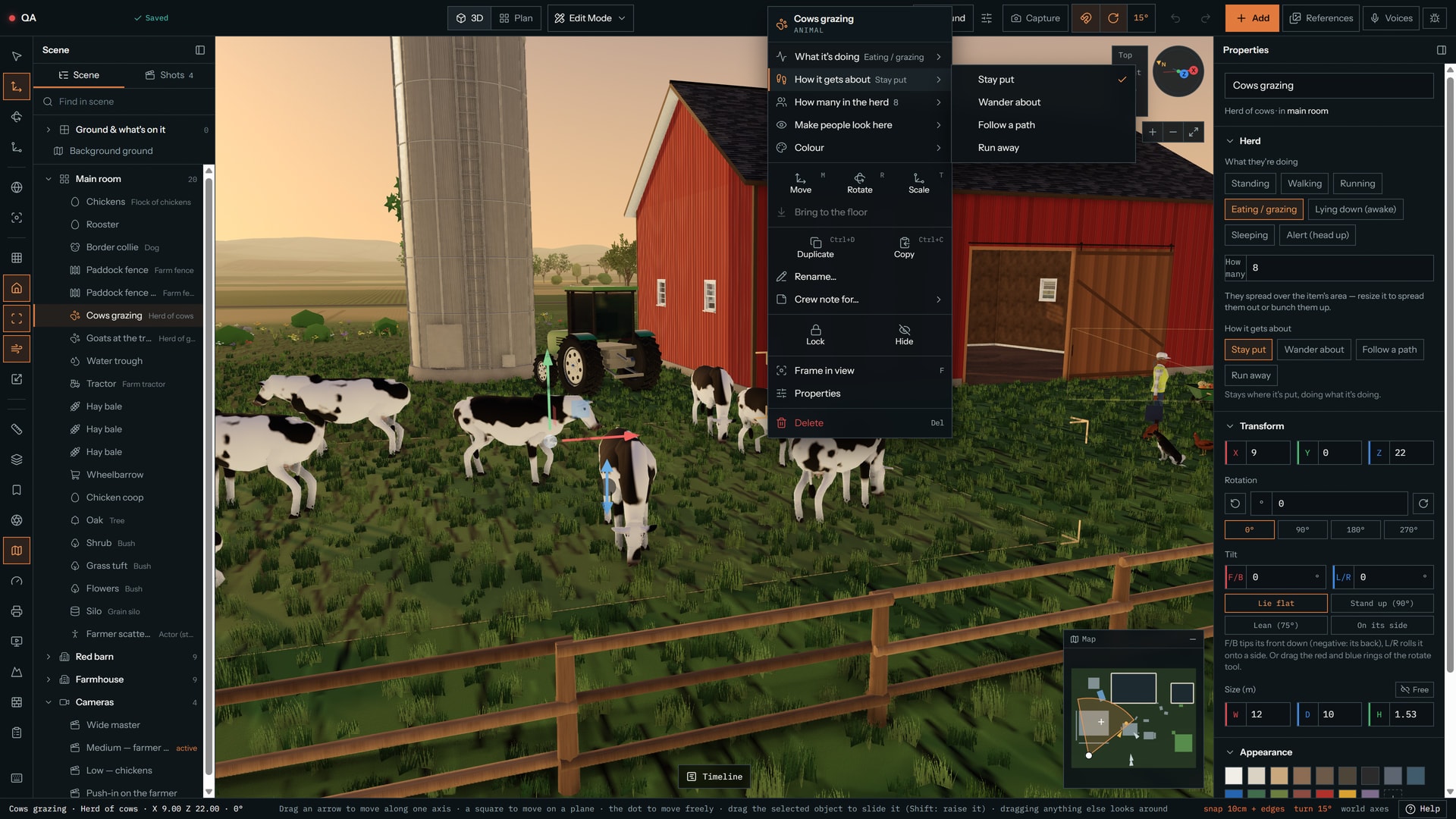
- Become a character
- Pick anyone in the scene and walk as them, at their eye height. Walk up to a door or a gate and it opens (E or a tap works too); a locked one says “Locked” and stops you, and you can climb through an open window. Solid props stop you, and stairs, ramps, curbs and bridges are walked on. Cars brake and stop for you when you walk in their way.
- Free View
- Fly through the set like a drone, from any height and angle — or, on a phone, swipe and pinch round it to review a scene on location.
- Edit Mode
- Orbit and arrange, in 3D or on the floor plan, and switch between them without the scene rebuilding: usually under a third of a second on a fast computer, not nearly a second. Right-click anything (long-press on a phone) for what fits it: a pose, an expression, how an animal gets about, an opening, damage.
- Autosave you can see
- Your work saves as you go, with a Saving, Saved or Offline status, and again when you switch tabs, leave, close the tab or go offline. A backup waits on your device until your account has it, you're warned before leaving with unsaved work, and two tabs or devices merge instead of overwriting each other.
- Collaborate
- On Pro and Studio, invite up to 10 people to a project with a link. Everyone edits the same set and the same chat. (Share is for showing your work.)
Quick to open. Built for your phone.
Scenes load sooner, and the editor now fits a phone. The first visit on slow mobile data is still slow, because the download dominates; the next one is faster.
- A set that appears in order
- Ground and openings first, then people, big things and small things, behind a progress bar. Shaders compile together before the first frame. On our test PC a busy apartment scene was fully drawn after about 5 seconds from a cold start, where it took about 23.
- Only what you need
- Panels and most prop groups load when you reach for them, and the site keeps its own code, thumbnails and icons on your device so a return visit starts quicker. Your scenes are never kept that way.
- Lighter scenes
- Fewer things to draw in most scenes we test (15% to 34% fewer), cheaper shadows on Low, and people far from the camera animated more cheaply. We don't promise a frame rate: it depends on your device and scene.
See everything (2 more)Show less
- Made for thumbs
- The editor fits phones from 320 px wide, portrait and landscape, with every control at least 44 px, sticks to walk and look in first person, pinch on the timeline, and sheets that rise above the keyboard.
- Install it
- Install app in the footer adds MoVie AI to your phone or computer where your browser allows it. Phones watch their memory and switch to Low graphics with a notice before they run out.
Build the prop the library doesn't have.
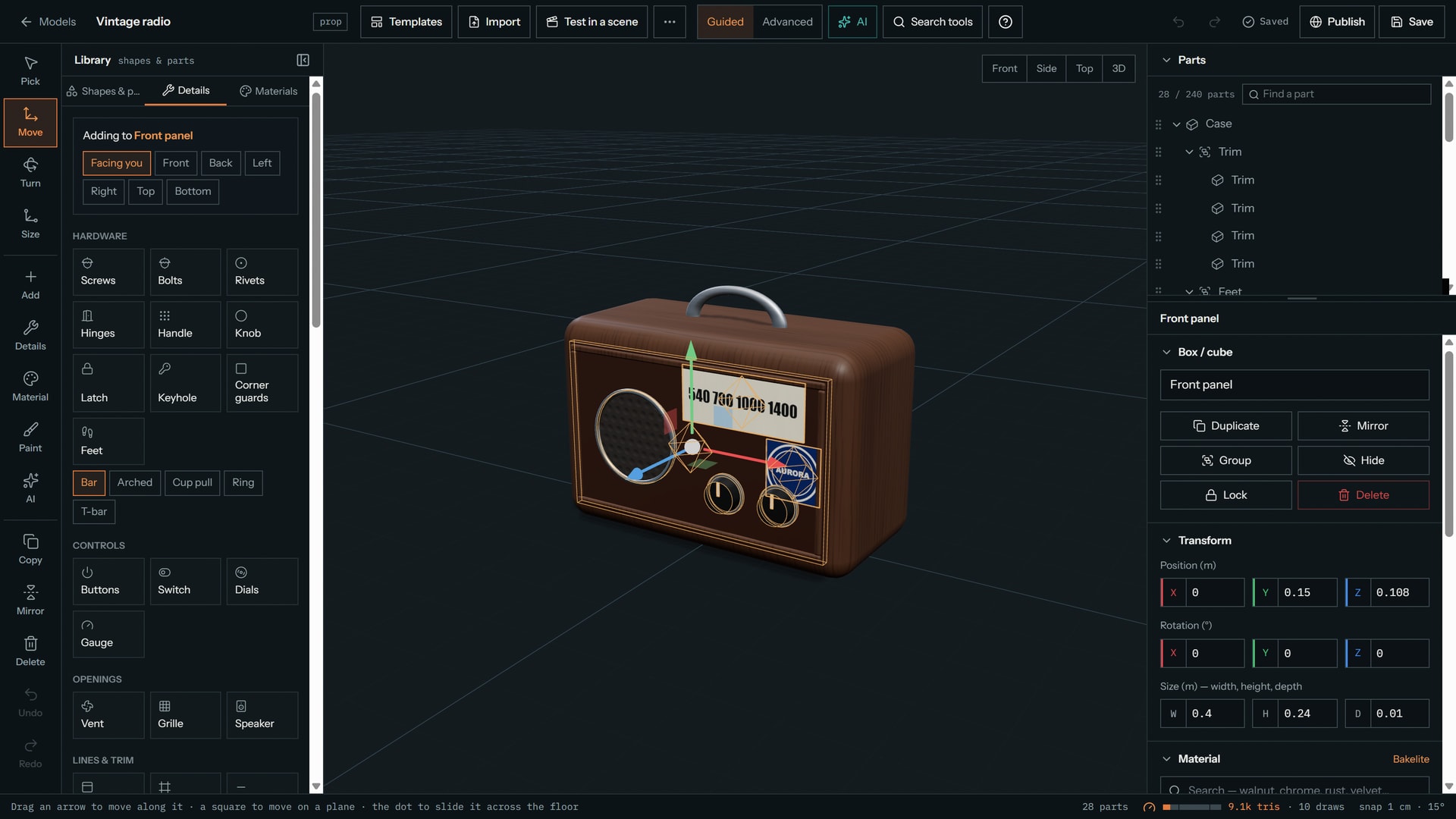
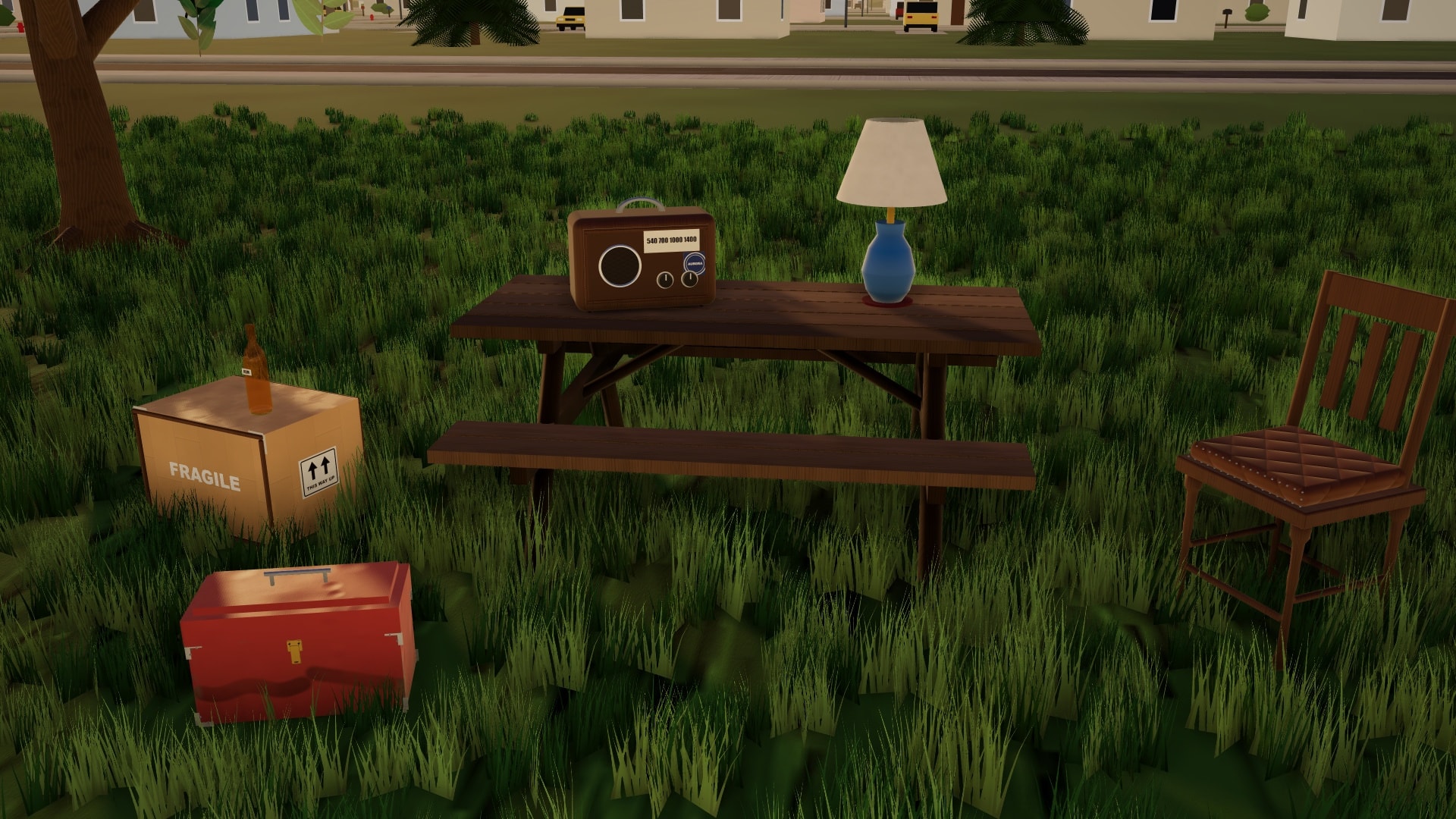
Real modelling tools without the learning curve. Start from one of 18 templates or a blank grid, shape it part by part or point by point, and finish it with real materials, wear and detail. Or, on Pro and Studio, import one you made in another 3D app (GLB, glTF, OBJ, FBX or STL). Or just ask: the AI chat builds and changes the prop for you while you watch.
- Real modelling tools
- 17 shapes, then points, edges and faces: extrude, bevel, loop cut and sculpt, with mirror, array and boolean cuts you can switch off at any time.
- Finished like the real thing
- 77 materials, 25 one-click details and 28 parts that snap onto a surface — screws, hinges, handles, labels — plus wear, dents and a paint mode.
- Easy, and light
- A guided mode with big plain buttons, a build-a-table tutorial and AI that starts a model from a sentence. A meter keeps it light enough for any scene; add it from the Add menu like any prop (the free plan keeps 2).
See everything (3 more)Show less
- Just ask
- A chat beside the 3D view (a sheet on a phone): describe a prop or say “make the legs thinner”. It builds with the maker's own tools, checks its own work, keeps going if you click elsewhere, and is one undo per request. On every plan: Free runs on Sonnet 5.5, Pro and Studio on Opus 5.5. A message is used only when the prop really changes.
- Take it with you
- Export your models as GLB, glTF, OBJ or STL on every plan. Pro and Studio can export whole scenes and backgrounds too, and every plan can back up or move a project as a project file.
- Shared and rated
- Browse the community
Build the world behind it.
Start from one of 23 presets — cities, forest, desert, beach, mountains, snow, farm, space, underwater, fantasy, industrial, a small town — or from a blank world, then change anything in it.
- Place it, scatter it, paint it
- Put down buildings, city blocks, roads, rails and rivers. Scatter trees, rocks and clutter with the density and randomness you choose, paint the ground, layer the horizon and set the sky and haze. Add props you made in the maker.
- Kept light
- A performance meter and an Optimize button, and simpler versions of everything at a distance, so a big world stays smooth in the editor.
- Easy to start
- Guided mode with big plain buttons, or Advanced with everything. Undo and redo, autosave, a layout for phones and a quick tutorial.
- Yours to keep and share
- Save backgrounds to your library and use them in any scene: Free keeps 2, Pro 20, Studio 100. Using and rating other people's published backgrounds is free on every plan; publishing your own and remixing are Pro and Studio.
Your page. Your achievements.
A creator page that looks like you, with 57 achievements to earn on the way. Everything here is free except the themes marked Pro and Studio.
- 16 themes
- 8 are free, 2 are for Pro and Studio, 2 are for Studio only, and 4 you unlock by earning achievements: Golden reel, Director's cut, Marquee and Midnight.
- Make it yours
- Upload a banner (free on every plan), pick an accent colour, one of 7 patterns and one of 3 layouts, reorder or hide sections, feature one item and pin up to 6 scenes. A live preview follows you, and Preview as visitor shows what others see.
- Thumbs and views
- Thumbs up and an approval percentage across your scenes and scripts, your own thumbs left out; the percentage shows once you have 10 thumbs. Posts and profiles also show views, counted once per person per day since Oct 24, 2026. The thumbs-down total is private unless you switch it on.
- You choose what shows
- A profile picture is opt-in, with a monogram otherwise. Switch your joined date, plan and following count on or off, and keep the page out of search engines. A bio of up to 280 characters and 3 https links.
See everything (4 more)Show less
- 57 achievements
- In 8 categories, free on every plan. The original 12 badges are kept; ones earned before the update say “Earned before the update”.
- Common to Legendary
- Five rarities, and the rare ones and above shimmer. 4 are secret until you find them.
- Progress you can see
- Progress bars like 7 of 10, the date you earned each one, and what share of members have it, shown once 25 or more members are tracked (counts only).
- Show off your six
- Pick up to 6 favourites for your profile, and a toast celebrates each new one within a few seconds of saving, sharing, following or editing your profile. Streaks count the days you open the dashboard.
Share it. Remix someone else's.
Creator pages with scenes, scripts and models, themes, achievements and follows — and a public gallery of the scenes people chose to share.
- Links anyone can open
- Send a watch link to play the scene, or a view-only link to look round it in 3D — no account needed. Make it private again whenever you like.
- Search the community
- Search community scenes by title, description or tag, signed in or not.
- Views
- Each post and profile shows its views, counted once per person per day since Oct 24, 2026. Embeds are not counted.
See everything (12 more)Show less
- Remix
- Copy a public scene into your account and make it yours, with credit to whoever made it.
- A challenge every week
- A new theme each Monday — “build a haunted house” and 23 more in rotation — with votes and a winner.
- The whole film, in order
- A shared scene plays all the way through in its author's shot order, with transitions and subtitles. The Play button and a poster come first and the 3D loads only when you show you want to watch.
- A real video player
- Play and pause, a scrub bar with a tick at every cut, restart, speed from 0.5x to 2x, volume, captions and full screen, plus an optional Explore mode that is off by default. All sound stops when you pause, leave, scroll away or switch tabs, about 0.1 seconds after you leave the page (0.3 if the picture freezes), and only one video plays at a time. Recorded voices keep their pitch at any speed, and computer voices speak at faster speeds up to about 2x.
- A picture of your own scene
- Every post gets a picture of its own scene, taken for you or chosen by you, never a stock image. Take it through any shot, an overview or a free view, or upload a JPEG, PNG or WebP of up to 20 MB and crop it to widescreen.
- Up to six pictures
- A post can carry up to 6 pictures with one main cover, shown in the feed, on profiles, the challenge board, the post page and link previews. Change them any time, or retake one from the scene. Uploads have their location data removed. A post without a picture shows a drawing of its floor plan, and phones load a smaller copy.
- Recorded voices are the owner's call
- A post plays its recorded voices only while its owner has “Play my recorded voices” on. It starts on only when the scene has recordings, and the share box shows it before you confirm. When it is on, the recordings are public.
- Collaborate or Share
- Collaborate invites up to 10 people by link to edit the same scene and chat (Pro and Studio). Share is for showing your work, on every plan: watch links, view-only 3D links and the community.
- Nothing posts until you confirm
- Sharing to the community opens a “Share this to the community?” box with the picture, title, description, tags and Public or Unlisted, all editable. Nothing is posted until you press Confirm; scripts, models, backgrounds and challenge entries ask the same way.
- Unlisted stays unlisted
- Unlisted scenes and scripts stay out of the feed, profiles, search and sitemap, and only people with the link can open them. New posts start with recorded voices and uploaded sounds switched off.
- When you delete your account
- Deleting an account removes everything kept for its shared scenes.
- Start from a template
- 13 ready-made sets to start from: a police station, a courtroom, a hospital room, a school hallway, a warehouse and more.
Start free. Upgrade when the shoot gets real.
One message = one AI build or change. Free: 40 starter messages when you join, then 8 more every day. Pro and Studio refill over a rolling 5 hours, not monthly. The AI is in beta.
Free
Try it on your next short.
$0a month
- 40 to start, then 8 a day
- 2D & 3D scene editor: draw walls, floors and stairs, cut openings
- Starter library: everyday rooms, streets, cars, nature and common animals
- Time of day, weather, seasons, crowds, traffic and sound
- Character editor with expressions, gestures, pose presets and stunts
- Walk the set in first person: open doors and windows
- Cars that drive a path with people in them, turnstiles, working lifts, and solid props that block characters
- Over 160 animations: sit, lie down, doors, cars and everyday objects, from a menu on every person
- Faster loading, lighter scenes and an editor that fits phones, with an Install app button
- Shot list, storyboard PDF, timeline and frame guides
- Live camera preview, camera tools and one-click angles
- Planning: call sheets, sun planner, blocking marks; 12 cast & crew, 2 shoot days
- AI helpers: scene notes, camera angles checked for a clear view, casting, script to scenes (1 message each)
- Improve this scene: a before and after preview, and a message used only if it finds changes
- 1 saved project
- Chat assistant
- Script editor: table read, find & replace, PDF, Final Draft and Fountain export
- Voice acting: 12 recorded lines per project
- Video editing: split, trim, reorder, speed, fades, dissolves, titles and a colour look for each shot
- Your own sounds on four audio tracks: 10 sounds, 20 MB, up to 1 minute each
- Editable subtitles with SRT and VTT export, burned into videos; 1 extra language per scene
- Doors that open by themselves, and characters that look where you point
- Autosave, and shots you can drag into a new order
- The AI asks quick questions before a big build, and remembers your answers
- A profile page with 8 themes, a banner and 57 achievements
- Pictures on every community post, and a full video player
- A Gaming starter set: PC, monitor, keyboard, console, gamepad, desk and chair
- Computer voices with feelings, an audio mixer, your choice of speakers and microphone
- Video export with sound, 720p up to 1 minute
- Prop & character maker (2 saved models), with an AI chat on Sonnet 5.5 and export to GLB, glTF, OBJ or STL
- Project files to back up or move any project, and WAV audio export up to 1 minute
- Background maker: any preset or a blank world, 2 saved backgrounds
- Production Hub for every project: no collaborators, 1 crew link; 30 tasks, 60 props, 30 budget lines
Pro
Recommended for indie shoots.
$25a month
or $20/mo, billed $240 a year
- 75 messages every 5 hours
- Everything in Free
- The full library: every prop (the whole Gaming category too), outfit, animal and herd, and the damaged buildings
- Unlimited saved projects
- Uploads: reference photos, floor-plan tracing, pictures and clips on screens
- Photo or sketch to a 3D set
- Team comments pinned in the 3D scene, and director approval
- Planning: 200 cast & crew, 60 shoot days, mood board pictures
- Voice acting: 150 lines per project, voice effects
- Video export in 1080p, up to 5 minutes
- Higher-quality suggestions
- Faster AI queue when we are busy
- Collaborate: up to 10 people per project
- Your own sounds on four audio tracks: 200 sounds, 500 MB, up to 5 minutes each
- Up to 8 extra subtitle languages per scene
- 10 profile themes (plus 4 to earn)
- Unlimited maker models, publish to the community
- Your own pictures on maker models
- Import your own 3D models (GLB, glTF, OBJ, FBX or STL)
- Model imports: Files up to 60 MB, 300,000 triangles and 2048 px textures per model, 500 MB of imports in all
- 3D export of scenes, props and backgrounds as GLB, glTF, OBJ or STL, up to 1 million triangles
- The prop maker's AI chat on Opus 5.5, with photo or sketch to prop
- WAV audio export up to 5 minutes
- Background maker: 20 saved backgrounds, publish and remix
- Production Hub for every project: up to 10 collaborators, 5 crew links; 500 tasks, 1,000 props, 400 budget lines
Studio
For production teams.
$75a month
or $60/mo, billed $720 a year
- 200 messages every 5 hours
- Everything in Pro
- Highest message limit
- Collaborate: up to 10 people per project
- Voice acting: 400 lines per project, 1-minute lines
- Your own sounds on four audio tracks: 1,000 sounds, 2 GB, up to 10 minutes each
- 12 profile themes (plus 4 to earn)
- Video export up to 10 minutes
- Faster video export: drawn frame by frame, faster than real time
- Brand kit: your logo and colours on storyboards, call sheets, stage plans and video exports
- Priority support: your support messages are marked priority in our inbox
- Unlimited maker models and publishing
- More room for your own pictures on maker models
- Model imports: Files up to 150 MB, 750,000 triangles and 4096 px textures per model, 2 GB of imports in all
- 3D export up to 3 million triangles
- WAV audio export up to 10 minutes
- Background maker: 100 saved backgrounds and the highest caps
- Production Hub for every project: up to 10 collaborators, 20 crew links; 2,000 tasks, 3,000 props, 1,500 budget lines
Build your first set tonight.
Phone app: coming soon
The full editor already works in your phone's browser, and you can add it to your home screen with Install app in the footer. A dedicated app is next. Leave your email and we'll tell you the day it launches.